

File:Deep in the Black - An Elite Dangerous Series -Episode 7- (4K)
External video hosted on YouTube.
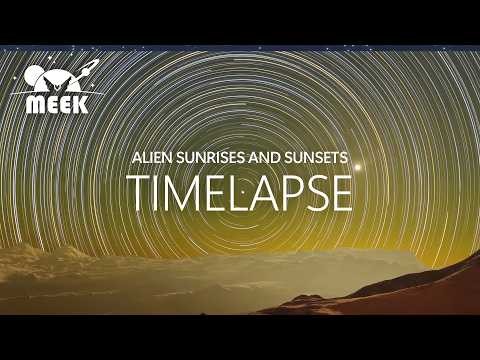
o7 Commanders! This video includes several time-lapse videos recorded over the last several months. Elite Dangerous Odyssey has more than 1 trillion places to explore, all created and animated using real-life gravitational mechanics and physics. The planetary bodies were created using something called the Stellar Forge. Learn more about the Stellar Forge here: https://elite-dangerous.fandom.com/wiki/Stellar_Forge
News from Frontier Developments about major changes coming to the galaxy has, well, the galaxy on edge! What do you think is in store for the bubble come update 14? Will explorers be able to continue their quest to uncover secrets across the galaxy? Will explorers become a valuable part of the battle against the Thargoids? Time will tell.
This video was shared as a break from the news of the day. Do you ever get so much news that you just need to unwind? Please unwind with this and other videos in the Deep in the Black series, part of this channel.
Here are the locations for three of the five time lapses. I inadvertently didn't record location info for two of the time lapses. Apologies.
Time lapse #1 00:10 - Atmospheric planet - MYRIESLY TE-P D6-1432 1 A Time lapse #2 00:36 - Non-atmospheric moon. High above the galactic plane - Location not recorded Time lapse #3 01:03 - Atmospheric planet - BYOOMAO OE-E D13-3420 A 2 E - Red / Orange sky Time lapse #4 01:22 - Non-atmospheric moon tidally locked - MYRIESLY X0-Z D 13-36 3 A Time lapse #5 01:45 - Non-atmospheric moon - Location not recorded
I've already received several questions on how to record time lapse videos in ED. There are several ways to do this, but the tools you use will directly affect quality. I'll summarize the process here. If you would like to see the process demonstrated in detail, comment below and I'll put a video together.
Creating an Elite Dangerous Time Lapse video:
1. Select a good planet and location to record. Choose a planet with a rotational period of 2 days or less. Believe me, you want this. 2. Get the recording. Record your screen in free camera mode. 3. Use software to extract one frame per minute or one frame per 30 seconds from your time lapse video. I used FFMPEG to do this. 4. Use software to combine all the individual frames (PNGs) into a single video. Again, FFMPEG does this. Do do quite a few video editing apps.
There's a little math and prep work involved, but hopefully this is enough to jump-start your time lapse work. I'm sure there are other methods, but this method produced the highest quality results of any other method I tried.
Thanks again for watching.
o7 Commander
Software used to create this projects included Cyberlink PowerDirector 365, Corel Paintshop Pro, FFMPEG, GeForce In-Game video capture.
I hope you enjoyed this brief collection of time lapses. Let me know if you would like to see more time lapse videos.
Again, o7 commanders.
Meek
The music is public domain downloaded from Pixabay. License is below:
PIXABAY LICENSE CERTIFICATE
==================================
This document confirms the download of an audio file pursuant to the Pixabay License as defined in the Pixabay Terms of Service available at https://https://pixabay.com/service/terms/
Licensor's Username: https://pixabay.com/users/music_unlimited-27600023/
Licensee: u_ai4428kaci
Audio File Title: Exploring Space
Audio File URL: https://pixabay.com/music/beats-exploring-space-120287/
Audio File ID: 120287
Date of download: 2022-11-26 02:53:07 UTC
Pixabay GmbH c/o Lacore Rechtsanwälte LLP Berliner Freiheit 2, 10785 Berlin, Germany
Pixabay is a user-contributed stock content website. The above-named Licensor is responsible for this audio file. Pixabay monitors uploaded audio files only to a reasonable extent. Pixabay cannot be held responsible for the acts or omissions of its users and does not represent or warrant that any required third-party consents or licenses have been obtained.
For any queries related to this document please contact Pixabay via info@pixabay.com.
THIS IS NOT A TAX RECEIPT OR INVOICE
File usage
The following page uses this file: