

Fleet Carrier Shipyard
Additional insight into the functionality and details of fleet carriers Shipyards
Shipyard is Optional Service.
Functions for Carrier visitor
Commander can store up to 40 ships in Carrier's Shipyards, and retrieve them again, all at no cost.
Stored ships travel with the Carrier, even when their owner is not present on the Carrier.
Be aware that Carrier owner can at any time restrict you docking access, remove (disable) the Shipyard, or jump the Carrier to far away system, complicating access to your stored ships (or forcing you to play high transfer fees)! Only store ship(s) on Carriers who's owner you trust.
There are several methods how to store and retrieve multiple ships to and from a Carrier. Some simple, some more complex but faster.
Apex taxi does not offer Cmdrs ferry to Cmdr owned Carriers and those Carriers do not have Apex taxi desk, so you can't take taxi from them. This complicates moving your ships to and from Carrier.
Storing multiple ships
Method A
Land first ship on the Carrier, then from it's Shipyard request transfer of rest of your ships to the Carrier.
Cons:
- You will have to pay a transfer fee that may be very high for expensive ships and larger distances from the Carrier.
- This is also slow, easily taking real world hours or even days for longer distances.
- It locks the ships in transfer state, without option to cancel the process.
Following methods are more complicated, but faster and more flexible. They are only possible in Odyssey version of the game as they require on-foot mode.
Method B
This requires help from another Commander that you trust.
- Play in Private session or Open
- Fly a ship to the Carrier, land, Disembark
- Have your friend Cmdr land there too, pick you up in person in their ship and fly you to location where your next ship for transfer is located.
Method C
- First ideally gather all the ships at one station with Shipyard.
- Make sure that that station is the last one you docked at, making it your 'safe spot' for respawning. Possibly launch from the station in any ship and dock again if not sure.
- Fly fist ship to the Carrier, land, Disembark, then use Escape pod in Carrier's concourse. This will move you to your 'safe spot' station in on-foot mode.
- In the concourse, at Inter Astra shop request your next ship. Repeat from step 3.
Retrieval of multiple ships
Method A
Fly to (closest) station with Shipyard. From there request transfer of your ships to that station.
This of course has the same cons as storing method A.
Method B
This requires help from another Commander that you trust.
- Play in Private session or Open
- Fly first ship from Carrier to nearby station
- Have your friend Cmdr land there too, pick you up in person in their ship and fly you back to the Carrier.
Functions and system for Carrier owner

For any and all purchases the credits will be taken from the Carrier balance, not the commander personal balance.
Installation cost: 250.000.000 CR
Active Service maintenance: 6.500.000 CR / week
Suspended maintenance: 1.800.000 CR / week
Refund amount if service is removed: FULL refund. (Does not include already paid maintenance fees)
If the service is suspended before the weekly payment, the amount owed will correspond to the Suspended amount instead of the full amount, even if the service was active all week. You can dodge the week maintenance fees by removing the service completely before the week payment, since you get a full refund of the service installation cost.
Buying ships stock
When the carrier is in the system that allows for it, the owner may purchase bundles of ships to sell on board.
- Only bundles can be bought, not single ships.
- Each bundle has its own price, ships and cargo space requirements.
- The cargo space requirement is the same one as the one used by commodities. This makes a carrier jump more expensive the more services and or ships for sale you have on board.
| Bundle name | Bundle manufacturer | Stocking cost | Cargo space required | Ship 1 | Qty | Ship 2 | Qty | Ship 3 | Qty | Ship 4 | Qty |
|---|---|---|---|---|---|---|---|---|---|---|---|
| Cargo Advanced | Lakon | 297 166 607 | 10 135 | Type-6 | 5 | Type-7 | 4 | Type-9 | 3 | - | - |
| Cargo Basic | Zorgon Peterson | 1 627 160 | 1 850 | Adder | 10 | Hauler | 15 | - | - | - | - |
| Combat Advanced | Zorgon Peterson | 523 741 140 | 3 675 | Fer-De-Lance | 5 | Mamba | 5 | - | - | - | - |
| Combat Basic | Core Dynamics | 48 898 350 | 4 950 | Eagle | 20 | Vulture | 10 | - | - | - | - |
| Combat Trader | Lakon | 380 149 382 | 7 470 | Keelback | 5 | Type-10 | 3 | - | - | - | - |
| Explorer | Lakon | 49 838 891 | 6 380 | ASP Explorer | 3 | ASP Scout | 5 | Diamondback scout | 10 | Diamondback Explorer | 3 |
| Multi-role Advanced | Delacy | 976 917 729 | 10 210 | Anaconda | 3 | Krait Phantom | 4 | Krait MK2 | 4 | Python | 4 |
| Multi-role Standard | Delacy | 6 013 375 | 5 475 | Cobra MK3 | 5 | Sidewinder | 25 | Viper MK3 | 10 | Viper MK4 | 5 |
| Passenger Liner | Saud Kruger | 313 337 510 | 5 820 | Beluga Liner | 2 | Dolphin | 5 | Orca | 3 | - | - |
If you purchased a stock that you don't want anymore, or you only have part of it left, you can still resell this stock for its purchase price.
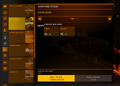 Carrier owner's Shipyard stocking interface
 Player's Shipyard interface for purchasing ships


Even though there are new ships in the game, it is not currently possible to sell them by purchasing any of the existing packs, even though they do show up in the Purchase Ships UI of the Shipyard.
It is not possible to lower the sell price more than setting a 0% commission.
Following table contains sell prices (to players) for comparison. The table ships sell prices correspond to the models of ships in the previous table. Please note that these calculations were made with the GAPs of the 31st may 3311. Prices may vary from current in game values.
| Bundle Name | Stocking cost | Sell Price for 1 ship | Total profit from stock at 0% commission | |||
|---|---|---|---|---|---|---|
| Ship 1 | Ship 2 | Ship 3 | Ship 4 | |||
| Cargo Advanced | 297 166 607 | 1 045 945 | 174 742 252 | 76 555 842 | - | 636 699 652 |
| Cargo Basic | 1 627 160 | 87 808 | 52 720 | - | - | 41 720 |
| Combat Advanced | 523 741 140 | 51 567 040 | 55 867 040 | - | - | 13 429 260 |
| Combat Basic | 48 898 350 | 44 800 | 4 925 615 | - | - | 1 253 800 |
| Combat Trader | 380 149 382 | 3 126 154 | 124 755 342 | - | - | 9 747 414 |
| Explorer | 49 838 891 | 6 661 154 | 3 961 154 | 564 329 | 1 894 760 | 1 277 911 |
| Multi-role Advanced | 976 917 729 | 146 969 451 | 37 472 252 | 45 814 205 | 56 978 179 | 25 049 168 |
| Multi-role Standard | 6 013 375 | 349 718 | 32 000 | 142 931 | 437 931 | 154 180 |
| Passenger Liner | 313 337 510 | 84 532 764 | 1 337 323 | 48 539 887 | - | 8 034 294 |
If you are the carrier owner, buying from your own carrier does not reduce the stock. However, the carrier does not receive any payment for the transaction. Therefore you can buy as many as you want, even more than there are stocked, but you will not see a cent of increase in the carrier balance. If you raise the commission and you are the owner, you will not see the price increase from your end.