

Pilots Guide: Difference between revisions
Add links for players guide for console players |
→Fan-Made Video Guides: updated old guide videos |
||
| Line 45: | Line 45: | ||
<gallery hideaddbutton="true" position="center" widths="200px" captionalign="center" columns="3"> | <gallery hideaddbutton="true" position="center" widths="200px" captionalign="center" columns="3"> | ||
Elite_Dangerous_- | File:Elite_Dangerous_-_Beginners_Guide_-_Earning_your_First_Millions_%26_Getting_Rich_Quick(ish) | ||
File:FLIGHT_DECK_-_A_Detailed_Guide_To_The_Bridge_Of_Your_Ship | |||
FLIGHT_DECK_-_A_Detailed_Guide_To_The_Bridge_Of_Your_Ship | |||
File:50_Facts_About_Elite_Dangerous_You_Don%27t_Know_(Probably) | File:50_Facts_About_Elite_Dangerous_You_Don%27t_Know_(Probably) | ||
</gallery> | </gallery> | ||
Revision as of 21:29, 28 January 2019

This guide is designed to help a new or experienced pilot get the most out of their spacecraft. It uses the Faulcon DeLacy Sidewinder as an example, but the concepts are applicable to all ships in the universe of Elite Dangerous.
It's recommended that you check out the following guides:
- Elite: Dangerous Pilot Training Tutorials
- Elite Dangerous: Horizons Training Guides
- Official Players Guide (latest version), other languages
- EXO Pilot's Manual
- The Guide for Almost Everything
- Forger's detailed pilot's guide
- Technophebe's new pilot's guide
- Elite Dangerous – a comprehensive beginner’s guide
For support issues it's recommended you check the following places before submitting a ticket:
- Official FAQ
- Official game support forum
- Official support ticket submission
- The Galactic Academy is a portal for new and inexperienced Commanders to get help and support.
Pilot Training
These videos outline the basics of Elite Dangerous and are recommended for all new players.
Fan-Made Video Guides
These are some fan-made video guides.
Ship HUD
The HUD, also known as a "head-up display" or "heads-up display", is how all information inside of a ship is displayed in Elite Dangerous. <tabview> HUD/Center|Ship: Center HUD/Right|Ship: Right HUD/Left|Ship: Left HUD/Down|Ship: Down HUD/Odyssey|On foot (Odyssey) </tabview>
Additional Information
- Blazing your own trail in Elite: Dangerous
- This infographic provides a good overview and insightful starting information for each profession.
- A visual guide to exploration
- This infographic displays invaluable visual data about celestials.
Advanced Topics
See Also
- Roles
- Supercruise
- Hyperspace
- Docking
- FSD Supercharging
- Guides Category for a list of guidance giving pages
Gallery
-
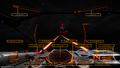 Cobra cockpit interface
 -
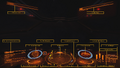 Sidewinder cockpit interface
 -
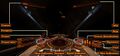
-
 Planetary Flight HUD


