

Miner: Difference between revisions
re-added big ships as dispute was settled with vote to add big ships in majority |
m grammar |
||
| (173 intermediate revisions by 50 users not shown) | |||
| Line 1: | Line 1: | ||
{{RoleInfobox |
{{RoleInfobox |
||
| image = Type 9 mining.jpg |
|||
| risk = Medium |
| risk = Medium |
||
| reward = High |
| reward = High |
||
| timeinvestment = Large |
| timeinvestment = Large |
||
| suggestedships |
| suggestedships = [[Adder]]; [[Anaconda]]; [[ Anaconda Mk II ]]; [[Asp Explorer]]; [[Cobra Mk III]]; [[Cobra Mk V]]; [[Federal Corvette]]; [[Imperial Cutter]]; [[Keelback]]; [[Krait Mk II]]; [[Mandalay]]; [[Panther Clipper Mk II]]; [[Python]]; [[Type-9 Heavy]]; [[Type-11 Prospector]]; |
||
| suggestedupgrades = [[Mining Laser]]; [[Refinery]]; [[Cargo Rack]]s; [[Collector |
| suggestedupgrades = [[Mining Laser]]; [[Refinery]]; [[Cargo Rack]]s; [[Limpet Controller/Collector|Collector Limpets]]; [[Limpet Controller/Prospector|Prospector Limpets]]; [[Abrasion Blaster]]; [[Pulse Wave Analyser]]; [[Seismic Charge Launcher]]; [[Sub-surface Displacement Missile]] |
||
|suggestedvehicles=[[Rhino]];}} |
|||
'''Mining''' in Elite Dangerous is a very manual process; the player must use a mining laser to chip off pieces of an asteroid, which are then scooped up or collected with a drone to be refined on-board. As time consuming as it can be, a miner with the right technique can make just as much money as they would in other professions. |
|||
'''Miners''' extract [[:Category:Metal commodities|metals]], [[:Category:Mineral commodities|minerals]], and [[materials]] from rocks and [[asteroids]] to sell for profit. Space mining involves traveling to pristine [[Planetary Ring Systems|planetary rings]], and asteroid belts around [[stars]], identifying resource-rich asteroids or rocks, and using [[Hardpoint]] [[module]]s to extract and collect fragments. Surface mining lets you find surface hotspots and use the [[Mining Rig|mining rig]] to unearth and collect valuable resources. |
|||
==Ships== |
|||
To mine, the player must have a ship equipped with a Mining Laser and a Refinery. Cargo Racks are important to store the refined minerals and metals. Drones are recommended to improve efficiency. A detailed guide of the process can be found below. |
|||
[[File:Type-8 Ship Mining Ice Rock.jpg|thumb|250x250px|Type-8 mining ice rock]] |
|||
Some miners prefer small, nimble ships for mining, because they're better at maneuvering around rocks and asteroids, in tight asteroid belts and planetary rings at higher velocities. However, others prefer larger ships such as the [[Python]], [[Imperial Clipper]], [[Federal Corvette]], [[Imperial Cutter]] and the [[Anaconda]]. These are less maneuverable, but can equip all the beneficial [[Limpet Controller]]s and carry a large number of limpets, while still having room for cargo and shields which increases efficiency. Additionally, the larger ships are better at defending themselves from [[pirate]]s while mining, though such threats can generally be avoided in the uncharted systems beyond human habitation centers. |
|||
An ideal mining ship requires at least one Class 2 hardpoint to fit larger mining tools for more efficient or profitable mining, and enough optional internal slots to hold a Refinery, a Collector Limpet Controller, a Prospector Limpet Controller, a Detailed Surface Scanner, and at least one Cargo Rack. Mobility is also important to find specific asteroids, and to aim certain mining tools. At least 4 hardpoints, with one medium, are required to hold one of every mining tool. A [[Fighter Hangar]] is recommended to defend the ship against pirates while its hardpoints are replaced with mining tools. |
|||
It is recommended that players obtain system data from the Universal Cartographics in order to determine what asteroids are mineral rich and as close to "pristine" as possible which will ensure that the player gets the most 'bang for their buck'. |
|||
{| class="fandom-table" |
|||
|+ |
|||
!Ship |
|||
!Description |
|||
|- |
|||
|[[Adder]] |
|||
|The Adder is the earliest ship capable of efficient mining, as it can equip three mining lasers, as well as being the earliest deep core mining ship as it has one Class 2 hardpoint. It has decent capacity but won't be able to defend itself. |
|||
|- |
|||
|[[Asp Explorer]] |
|||
|The Asp Explorer is an excellent stepping stone between the small and medium ship sizes, and is a capable and highly profitable deep core mining ship. |
|||
|- |
|||
|[[Cobra Mk III]], [[Cobra Mk V]] |
|||
|A great choice for new miners is the Cobra Mk III due to the size of its cargo hold, internal compartments, and its maneuverability. It can also fit the Class 2 mining tools. The Cobra Mk V is also suitable for miners. |
|||
|- |
|||
|[[Keelback]] |
|||
|The Keelback can equip multiple lasers and has a half-decent capacity, and can use a fighter hanger for self-defense. It also has the required 4 hardpoints for every mining tool. |
|||
|- |
|||
|[[Krait Mk II]], [[Krait Phantom]] |
|||
|The Krait Mk II and Krait Phantom are more expensive medium options for mining, but can comfortably fit all necessary mining tools and modules. The larger MkII can also hold a fighter bay for added protection, while the Phantom is capable of outrunning any NPC, making them both a safe choice. |
|||
|- |
|||
|[[Panther Clipper Mk II]] |
|||
|The Panther Clipper Mk II has the biggest cargo capacity and it is [[Frame Shift Drive (SCO)]] optimized. |
|||
|- |
|||
|[[Python]] |
|||
|The Python is medium ship with internal space to spare, allowing it to carry larger modules and a greater amount of cargo. It can also equip every tool as a class 2 hardpoint. Combined with its durability and relative agility for its size class, it is an ideal mining ship. |
|||
|- |
|||
|[[Type-9 Heavy]] |
|||
|The Type-9 Heavy was formerly one the best ships in the career, due to its huge cargo and internal size as well as its fighter bay and low price. However, the Beyond changes made it much less useful as its sluggish speed makes avoiding asteroid fragments difficult and its low mobility makes aiming mining tools frustrating. It also lacks the hardpoints to be as efficient as other options. The Type-9 is less expensive and it has much better visibility in the cockpit than the Panther Clipper Mk II. |
|||
|- |
|||
|[[Type-10 Defender]] |
|||
|The Type-10 Defender is also a viable ship, though it lacks maneuverability. It makes for a good [[Painite]] laser miner, as it has a large Power Distributor and a huge complement of hardpoints. |
|||
|- |
|||
|[[Anaconda]], [[Federal Corvette]], [[Imperial Cutter]] |
|||
|The Anaconda, Federal Corvette, and Imperial Cutter all work perfectly. The Corvette in particular has both good mobility and high cargo capacity. |
|||
|} |
|||
== Equipment == |
|||
Small, nimble ships are the suggested ships for mining, as they are better able to manoeuvre around asteroids, in tight asteroid belts and rings. Larger classes of ships such as the [[Python]], [[Imperial Clipper]], [[Federal Corvette]], and the [[Anaconda]], although can make good mining ships, are not as manoeuvrable and as such cannot be recommended. |
|||
To mine, pilots require three optional internal modules: a [[Cargo Scoop|cargo scoop]] to collect chunks, a [[Refinery]] to refine collected resources onboard into [[Commodities]] for sale, one or more [[Cargo Rack]]s to carry the refined Commodities, and 1 or more [[Mining Laser]]s, [[Abrasion Blaster]]s, [[Sub-surface Displacement Missile]]s, or [[Seismic Charge Launcher]]s. The [[Detailed Surface Scanner]], [[Limpet Controller/Prospector|Prospector Limpet]], and [[Pulse Wave Analyser]] can be equipped to more easily locate ideal mining sites and valuable asteroids. The [[Limpet Controller/Collector|Collector Limpet]] more efficiently gather raw resource chunks. Refineries have temporary bins that will store a refined product (after you've scooped it). Once each respective bin reaches 100%, the bin contents will then be automatically transferred to your cargo hold as a unit of 1, at which point it can be sold at a [[station]] or [[settlement]]. Rig mining requires the [[Rhino]] with a [[Mining Rig]]. |
|||
{| class="fandom-table" |
|||
==Equipment== |
|||
|+ |
|||
* [[ships|Ship]] |
|||
!Equipment |
|||
** A great choice for starting miners is the [[Cobra MkIII]], due to the size of its cargo hold, internal compartments, and its manoeuvrability. It can also fit the Class 2 mining laser. |
|||
!Description |
|||
* [[Mining Laser]] |
|||
|- |
|||
** Required to extract the ore fragments from an asteroid. |
|||
|[[Abrasion Blaster]] |
|||
** Higher quality lasers may extract ore fragments faster. |
|||
|A new hardpoint module with which Commanders can shoot at Surface Deposits, breaking them off for collection. Whether you do it manually, using the cargo scoop, or with limpets, you'll be able to collect the resources at your leisure.<ref name=":0">[https://forums.frontier.co.uk/threads/content-recap-beyond-chapter-four-livestream-mining-and-squadrons.454587/ Frontier Forums: Content Recap: Beyond - Chapter Four Livestream - Mining and Squadrons]</ref> |
|||
** Multiple lasers may also be equipped, but will draw more power in total. |
|||
|- |
|||
* [[Refinery]] |
|||
|[[Collector Limpet Controller|Collector Limpet]] |
|||
** Required to process the collected ore. |
|||
| |
|||
** Some refineries have multiple bins to process several types of ore simultaneously. |
|||
* Automated collection massively improves profit per hour by collecting fragments automatically. |
|||
* [[Collector Drone]] |
|||
* Limpets have a set lifetime and will automatically collect items with no user input required. |
|||
** Automated collection massively improves profit per hour by collecting fragments automatically. |
|||
* Limpets need to be individually purchased at munition store (in the advanced maintenance tab) for 101 credit each limpet and will occupy your cargo rack (1T for each limpet). |
|||
** These require limpets to work (Purchase limpets at any munitions store) |
|||
* The number of collector limpet modules on each ship is not limited to one, and installing more than one limpet module increases the max number of active limpet at a time, thus increasing collection efficiency. If you have space to install 2 class 5 collector limpet modules, for instance, you may have 6 collector limpets active simultaneously. |
|||
* [[Limpet Controller/Prospector|Prospector Drone]] |
|||
|- |
|||
** Prospecting allows miners to view the mineral content of an asteroid even from a distance. |
|||
|[[Detailed Surface Scanner]] |
|||
** Prospecting asteroids before mining results in double yield. |
|||
|Aside from mapping the surfaces of planets, the Detailed Surface Scanner can also be used to identify mineral hotspots within planetary rings. Commanders can fire probes into the rings, which will then clearly display the areas worth investigating on your screen.<ref name=":0" /> |
|||
** These require limpets to work (Purchase limpets at any munitions store) |
|||
|- |
|||
|[[Mining Laser]] |
|||
| |
|||
* Required to extract the ore fragments from an [[asteroids|asteroid]]. |
|||
* Higher class lasers may extract ore fragments faster. |
|||
* Multiple lasers may also be equipped but will draw more power in total, and will also mean you have fewer hardpoints to defend yourself as they are incredibly inefficient at dealing damage and have the lowest range in the game. |
|||
* The [[Mining Lance]] offers far greater range and is capable of dealing 8 DPS, instead of 2, only slightly less than the 1E Beam Laser. The downsides are the higher power draw and the huge amount of thermal load generated. |
|||
|- |
|||
|[[Mining Volley Repeater]] |
|||
| |
|||
|- |
|||
|[[Limpet Controller/Prospector|Prospector Limpet]] |
|||
| |
|||
* Prospecting allows miners to view the mineral content of an asteroid even from a distance. |
|||
* Prospecting asteroids before mining results in double yield. |
|||
* These require limpets to work (Purchase limpets at any restock service). They are stored in your cargo holds. |
|||
* Generally, any size will do, even class 2 or 3. You won't need more than 2 or so active at once. |
|||
* In the new Analysis Mode, if a Commander fires a Prospecting Limpet at an asteroid, you will be able to see the highlighted location of all the deposits on it, making it easy for you to target and exploit those specific areas. |
|||
|- |
|||
|[[Pulse Wave Analyser]] |
|||
|Upon arrival within a ring, firing this module will send out a pulse of energy that will highlight any [[asteroids]] that have lucrative deposits on them.<ref name=":0" /> |
|||
|- |
|||
|[[Refinery]] |
|||
| |
|||
* Required to process the collected ore. |
|||
* Better refineries have up to ten bins to process several types of ore simultaneously. |
|||
|- |
|||
|[[Seismic Charge Launcher]] |
|||
| |
|||
* Certain asteroids, as identified by the Fissures discovered on their surface, can be completely broken apart to reveal a treasure trove of resources. Commanders will place Seismic Charges within the Fissures at a particular charge level.<ref name=":0" /> |
|||
* The cockpit interface will give you an idea of how much destructive power the charges will hold, and Commanders will have to be careful to not go too far above or below that threshold, at the risk of losing valuable materials.<ref name=":0" /> |
|||
* A countdown for all the charges will display on screen, so Commanders are limited on the amount of time they have to set up the perfect controlled explosion.<ref name=":0" /> |
|||
* The charges can be disarmed in the Contacts panel, however, this takes 10 seconds, and the Fissure will become unusable. |
|||
* These charges can also be detonated sooner by the Commander if desired.<ref name=":0" /> |
|||
* Only available as a Class 2 hardpoint. |
|||
|- |
|||
|[[Sub-surface Displacement Missile]] |
|||
| |
|||
* This new [[hardpoint]] [[module]] is used for harvesting Sub-surface Deposits. Described as a 'drill on the end of a missile', this digs in to the rock at the point of impact. The cockpit interface will then show the displacement missile travelling through the rock. Holding down the trigger and releasing at a the optimal time displayed by the interface will allow you to recover valuable sub-surface minerals.<ref name=":0" /> |
|||
* Class 1 of this tool has extremely limited ammo, and it is recommended to use a Class 2 version if possible. |
|||
* Requires a fair amount of accuracy, so should be mounted on the most central placed hardpoint, if possible. |
|||
|} |
|||
==Locations== |
==Locations== |
||
Miners who choose to delve inhabited systems rather than uncharted ones can purchase system data from [[Universal Cartographics]] or scan a [[System Signal Sources|Navigation Beacon]] in order to determine the quality of a system's asteroid clusters or planetary rings. |
|||
Mining is currently possible at asteroid belts or planetary rings which are not Icy, although it is the most profitable in a Pristine Metallic area. They can be targeted and flown to in supercruise, just like any destination within a system. Marked extraction sites can only be seen at ranges of 1kls or closer. Asteroids in planetary rings can also be mined from - [[RES]] are common places for NPC miners to congregate in, but pirates will also spawn here. |
|||
Mining is currently possible at asteroid belts and [[Planetary Ring System|planetary rings]] (including icy as of 2.1/1.6), although it is the most profitable in a Pristine Metallic area. They can be targeted and flown to in supercruise, just like any destination within a system. Marked extraction sites can only be seen at ranges of 1kls or closer. Asteroids in planetary rings can also be mined from - [[RES]] are common places for NPC miners to congregate in, but pirates will also spawn here. |
|||
Mining is not limited to extraction sites, which is much safer since there is virtually no NPCs spawning outside them. Flying at any part of a ring system at less than 1Mm/s will result in a safe drop approximately 7km away from the ring. It is important, however, to identify the metallic rings before attempting this. When you have arrived, you will see a number (from a handful to many dozens) of asteroids, which you can then mine. A good starting spot for mining are systems with industrial economies. |
Mining is not limited to extraction sites, which is much safer since there is virtually no NPCs spawning outside them. Flying at any part of a ring system at less than 1Mm/s will result in a safe drop approximately 7km away from the ring. It is important, however, to identify the metallic rings before attempting this. When you have arrived, you will see a number (from a handful to many dozens) of asteroids, which you can then mine. A good starting spot for mining are systems with industrial economies. |
||
| Line 44: | Line 127: | ||
This information can be found in the system map by targeting either the belt cluster or planet of interest. Planetary rings are labeled from inner to outer with descending letters starting from A. |
This information can be found in the system map by targeting either the belt cluster or planet of interest. Planetary rings are labeled from inner to outer with descending letters starting from A. |
||
Locations of planets with pristine metallic rings can be found via the [https://edtools.cc/ Pristine Metallics Distances Calculator]. |
|||
As stated in GalNet, players are currently unable to mine Icy asteroids for resources leaving the availability to Rocky, Metal Rich, and Metallic asteroids, metallic being the most optimal location. |
|||
The material content (Low, Medium, High) does not affect the amount of metals, minerals or chemicals that the asteroid contains. Instead, focus on the concentration of a substance within the asteroid's fragments. If the fragments have a low concentration, near or below 15%, move on to another asteroid. Using Prospector Limpets can double the yield of asteroid fragments. |
|||
Locations of planets with pristine metallic rings can be found [[Pristine Metalics|here]], screenshots of many of those systems listed are [http://imgur.com/a/vEqgv#0 here] .<nowiki/> |
|||
==Guide== |
|||
Mining involves three main steps: |
|||
# Fragmenting |
|||
# Collecting |
|||
# Refining |
|||
It is important to note that these steps will generally be happening all at the same time. Technique involves managing all three steps at once to maximize efficiency. |
|||
=== |
=== Ring systems === |
||
Mining in [[Planetary Ring Systems]] is always more efficient than mining Asteroid Belt clusters because rings contain vastly more asteroids. Use the System Map to identify rings with "Pristine Reserves", which guarantee more plentiful results. |
|||
Make sure to bind a Mining Laser (preferably in its own firing group) just like you would do with any other weapon in game. Fly within range (being 500 m) of the asteroid and blast away with the Mining Laser. You have to hold down the trigger for a while (depending on the quality of Mining Laser you have bought) before a fragment chips off. |
|||
== Night vision == |
|||
Activating [[Night Vision]] can be useful even when mining in bright areas. Night Vision allows asteroids and asteroid chunks to be seen through debris clouds caused by core mining and certain sections of rings. |
|||
==Space mining== |
|||
[[File:Mining-duo.jpg|thumb|250px|Mining duo]] |
|||
Mining in a [[Planetary Ring System|planetary ring]] or asteroid belt involves finding rocky and icy fragments that originated from shattered [[asteroids]], [[Comet|comets]], or [[moons]]. This involves five processes: |
|||
# Probe |
|||
# Fragment |
|||
# Collect |
|||
# Refine |
|||
# Sell |
|||
The first four processes can overlap during a mining session, and must be carefully managed in order to maximize efficiency and profit. |
|||
=== Probe === |
|||
[[File:Elite-Dangerous-Asteroid-Probe.png|thumb|250px|Asteroid probe]] |
|||
''[[Elite Dangerous: Beyond|ED: Beyond]]'' Chapter Four (3.3) introduced new aspects to mining: using new tools and exploration mechanics, miners can investigate rings to locate the best spots to start their mining sessions, and then the best specific asteroids to probe and excavate for rewards. |
|||
*The [[Detailed Surface Scanner]] can analyze [[Planetary Ring Systems]] and highlight any resource-rich hotspots. |
|||
*The [[Pulse Wave Analyser]] can scan large areas within Planetary Ring Systems and highlight the most lucrative asteroids. |
|||
*The [[Limpet Controller/Prospector|Prospector Limpet]] can analyze a single asteroid and provide in-depth composition data before excavating. |
|||
=== Seismic Charge === |
|||
[[File:Python-Mining-Asteroid-Explosion.png|thumb|250px|Python mining asteroid explosion]] |
|||
Currently there's one type of [[Asteroids|asteroid]] with a distinct shape and size that can be detonated. It's a medium sized rock, roundish "teardrop" in shape -or a pointy edge on one side and a fat bottom on the other. With the [[Pulse Wave Analyser]] it should always show a bright, brilliant yellow glow even as you approach it. There are fissures on the surface. Use the [[Seismic Charge Launcher]] to place Seismic Charges within the fissures. Then explode it to reveal valuable [[minerals]]. |
|||
===Fragment=== |
|||
Make sure to bind a Mining Laser (preferably in its own firing group) just like you would do with any other weapon in the game. Fly within range (being 500 m) of the asteroid and blast away with the Mining Laser. You have to hold down the trigger for a while (depending on the quality of Mining Laser you have bought) before a fragment chips off. |
|||
Select the fragment of rock as a target. They are quite small and hard to detect visually but do show up as white contacts on your radar. When selected, you get details of the contents of the fragment, e.g. Bauxite (9.7%) Coltan (21.2%). Note that the mineral name which shows up first in the HUD doesn't necessarily represent the most valuable mineral! The mineral content is how much of a ton of cargo can be extracted from the fragment. E.g. if you scoop and process three 35% Indite shards you end up with 1 ton of Indite. Fragments range in mineral content from ~5% to ~65%. Asteroids contain 1 to 3 different minerals while fragments from the asteroids contain up to 2 of those minerals. |
Select the fragment of rock as a target. They are quite small and hard to detect visually but do show up as white contacts on your radar. When selected, you get details of the contents of the fragment, e.g. Bauxite (9.7%) Coltan (21.2%). Note that the mineral name which shows up first in the HUD doesn't necessarily represent the most valuable mineral! The mineral content is how much of a ton of cargo can be extracted from the fragment. E.g. if you scoop and process three 35% Indite shards you end up with 1 ton of Indite. Fragments range in mineral content from ~5% to ~65%. Asteroids contain 1 to 3 different minerals while fragments from the asteroids contain up to 2 of those minerals. |
||
=== |
===Collect=== |
||
[[File:Asp-Explorer-Asteroid-minerals-limpet-collect.png|thumb|250px|Asp collects asteroid minerals]] |
|||
Collecting fragments can be done with a cargo scoop or a collector limpet drone. |
|||
Collecting fragments can be done with a [[Cargo Scoop|cargo scoop]] or a collector limpet drone. |
|||
To collect with a cargo scoop, first engage your scoop (just like you would with your landing gear or hardpoints), then fly slowly towards the target. Upon engaging the Cargo Scoop you will find that a blue box will have appeared on the lower left of |
To collect with a cargo scoop, first, engage your scoop (just like you would with your landing gear or hardpoints), then fly slowly towards the target. Upon engaging the Cargo Scoop you will find that a blue box will have appeared on the lower left of your HUD. On there you should, if pointing at the rock, see an icon in the cross-hairs (the box). Continue to fly slowly towards the rock while holding the rock in the middle of the cargo scoop's cross-hairs until you have successfully acquired it. |
||
Asteroid fragments are more difficult to scoop than regular cargo, as their movement is more complex (not to mention the fact that you want to avoid hitting an asteroid while you're focused on scooping!) For this reason, it's advisable to use very slow speeds of 15 m/s while scooping. Furthermore, fragments will "decay" over time, meaning they slowly lose integrity until they disappear, so do not mine more than you can collect! |
Asteroid fragments are more difficult to scoop than regular cargo, as their movement is more complex (not to mention the fact that you want to avoid hitting an asteroid while you're focused on scooping!) For this reason, it's advisable to use very slow speeds of 15 m/s while scooping. Furthermore, fragments will "decay" over time, meaning they slowly lose integrity until they disappear, so do not mine more than you can collect! |
||
| Line 68: | Line 175: | ||
To collect with a collector limpet controller you must purchase limpets ahead of time in any munitions store (the place you buy your ammo). Collector limpets have 2 modes: quick single-collection and autonomous area-collection. For mining, the area-collection mode is optimal. Limpets must bound to a fire group like a weapon. |
To collect with a collector limpet controller you must purchase limpets ahead of time in any munitions store (the place you buy your ammo). Collector limpets have 2 modes: quick single-collection and autonomous area-collection. For mining, the area-collection mode is optimal. Limpets must bound to a fire group like a weapon. |
||
To activate a limpet in area mode, be sure that no cargo or fragment is targeted. This is important as activating a limpet with a collectible item targeted will activate the limpet in single-collection mode. Once in area mode, the limpet will automatically collect any fragments a specific distance from you based on the class and rating of the controller. While this happens you can continue with other actions such as fragmenting, refining, and monitoring your surroundings. Use collector drones with caution near spinning asteroids, since their basic AI doesn't account for the movement of the asteroid. |
To activate a limpet in area mode, be sure that no cargo or fragment is targeted. This is important as activating a limpet with a collectible item targeted will activate the limpet in single-collection mode. Once in area mode, the limpet will automatically collect any fragments a specific distance from you based on the class and rating of the controller. While this happens you can continue with other actions such as fragmenting, refining, and monitoring your surroundings. Use collector drones with caution near spinning asteroids, since their basic AI doesn't account for the movement of the asteroid. You can equip multiple collector drone limpet controls assuming you have enough internal compartments. |
||
Note: asteroid fragments may drift and clip into other asteroids or chunks from a detonated asteroid, but Collector Limpets will still attempt to collect those fragments and will end up destroying themselves. If a player notices they are losing Collector Limpets with unusual frequency, this may be the cause, and the problematic fragment should be added to the exclusion list. |
|||
===Refining=== |
|||
Once a fragment enters your cargo hold, it will be deposited in the [[refinery]]. It can be accessed on the left panel of the cargo screen. The first bin is the depositing bin, where you will find your fragment. New minerals will attempt to drop into the refinery bins below. Depending on class your refinery will have between 1 and 10 of these bins. |
|||
===Refine=== |
|||
[[File:Diamondback-Mining.png|thumb|250px|Diamondback mining]] |
|||
Once a fragment enters your cargo hold, it will be deposited in the [[refinery]]. It can be accessed on the right panel under cargo tab, then there is a refinery tab on the left column. The first bin is the depositing bin, where you will find your fragment. New minerals will attempt to drop into the refinery bins below. Depending on class your refinery will have between 1 and 10 of these bins. |
|||
Items that appear in the depositing bin will automatically "stack" into the refinery bins below if a refinery bin that already contains that mineral exists. It will also drop into empty bins automatically. If no bin is available, you will have to vent your refinery (see next paragraph). This will happen until the bin reaches 100% at which point it will be emptied, the leftover mineral will remain in the depositing bin, and 1 ton of cargo (one unit of whatever mineral you have collected) appears in your cargo hold. Once your cargo hold is full, you can return to a station and sell your goods. |
Items that appear in the depositing bin will automatically "stack" into the refinery bins below if a refinery bin that already contains that mineral exists. It will also drop into empty bins automatically. If no bin is available, you will have to vent your refinery (see next paragraph). This will happen until the bin reaches 100% at which point it will be emptied, the leftover mineral will remain in the depositing bin, and 1 ton of cargo (one unit of whatever mineral you have collected) appears in your cargo hold. Once your cargo hold is full, you can return to a station and sell your goods. |
||
| Line 77: | Line 188: | ||
You also have the option to "vent" the contents of your refinery. This is useful if you have a nearly-full refinery of bauxite and you find an asteroid with gold (or whatever else you prioritize). When no bin is available, minerals will not leave the depositing bin and will block it from accepting new fragments. When this happens you must either vent a refinery bin to free up space or vent the mineral from the depositing bin. NOTE: Doing this will destroy the mineral and you will not be able to recover it. |
You also have the option to "vent" the contents of your refinery. This is useful if you have a nearly-full refinery of bauxite and you find an asteroid with gold (or whatever else you prioritize). When no bin is available, minerals will not leave the depositing bin and will block it from accepting new fragments. When this happens you must either vent a refinery bin to free up space or vent the mineral from the depositing bin. NOTE: Doing this will destroy the mineral and you will not be able to recover it. |
||
== |
===Sell=== |
||
The value of a mineral is scaled to the supply/demand meaning that selling minerals where there are many other players selling the same mineral will result in a smaller profit per ton as demand for that item is low with so many suppliers. Systems that are both refinery economies and have an asteroid field will tend to give you a lower price compared to what you would get if you were to travel somewhere more distant to the source (source being asteroid fields). Also, checking the bulletin board is very important, since mining mission rewards can reach hundreds of thousands of credits. The most sought-after minerals in missions are [[painite]], [[osmium]] and [[platinum]]. |
|||
This is a very rough guide to which minerals and metals are most valuable to mine. These prices will be lower or higher depending on demand in the station you're selling to. It can be helpful to screenshot the nearest station's metal and mineral market prices to ensure highest profit, since varying demand of different resources can result in great variation of value. |
|||
{| class="article-table" |
|||
Accepting Mining contracts at the Mission Board yields much more money for the mined commodities. |
|||
|+ |
|||
Styx is an excellent example of where we see a massive drop in prices. It has both mining equipment for sale, is very close to the spawn point for new players, has mineable asteroid fields and is a refinery economy (means it will have a constant demand for minerals to refine), it is therefore going to be very popular to sell minerals there which is going to lead to a price drop due to a saturated market. |
|||
Keep in mind that carrying valuable resources around attracts pirates and other players may also try to rob you. With mining lasers attached you will be less effective at defending yourself so don't lug rare metals around too long. |
|||
Tip: if the cargo capacity is full, the Refinery can still be filled to 100% per slot. Upon selling a haul at a station, the full Refinery slots will complete processing and add additional units to the cargo hold, allowing the Refinery to be used as an overflow cargo space to a limited extent. |
|||
== Surface mining == |
|||
Turret mining is possible with [[vehicles]] that are equipped with a turret. Rig mining requires the [[Rhino]] and a [[Mining Rig|mining rig]]. |
|||
=== Turret mining === |
|||
[[File:ED SRV Scarab Commander Metallic Meteorite.png|thumb|Metallic Meteorite and commander with SRV]] |
|||
The [[Scarab]], [[Scorpion]] and [[Rhino]] can be used for basic planetary mining. By using the [[Wave Scanner]] you can locate materials. The turret can blow off chunks which are collectable by driving over it with the SRV's [[Cargo Scoop|cargo scoop]]. |
|||
You should look for chunks around signs of volcanism such as [[Gas Vent|gas vents]]. These usually have a chunk on them that you can shoot off to collect it. The cargo capacity of the Scarab is only 4 tonnes, the Scorpion 30 tonnes, while the [[Rhino]] has 72 tonnes.<ref name=":2" /> |
|||
=== Rig mining === |
|||
[[File:Mining Rig and Rhino.jpg|thumb|Mining Rig and a Rhino]] |
|||
The [[Rhino]] can extract valuable minerals directly from a planet's surface with a [[Mining Rig|mining rig]].<ref name=":2">[https://www.elitedangerous.com/store/vehicles/rhino Rhino] - Store - Elite Dangerous</ref> |
|||
==== Scan and locate deposits ==== |
|||
# '''Orbit Scan:''' Use your ship's Detailed Surface Scanner (DSS) from orbit on a landable planet and look for new planetary mining locations and signals. |
|||
# '''Check Contents:''' Select a signal in orbital cruise to see the specific minerals and materials available at that site via your left-hand contact panel. |
|||
# '''Approach:''' Fly down to the yellowish signal area like a standard Point of Interest (POI). |
|||
==== Deploy the Rhino and rigs ==== |
|||
# '''Deployment:''' Hover your ship close to the surface (30 meters or less) and drop the Rhino using the new Mk II Large Planetary Vehicle Hangar. |
|||
# '''Scan the Ground:''' Drive into the target zone and activate the Rhino's built-in Planetary Mineral Scanner to highlight minable ground deposits in purple. |
|||
# '''Deploy Rigs:''' Position the vehicle over the highlighted deposit and deploy a [[Mining Rig]] using your secondary fire control (rig hatch). You can space out multiple rigs across a large mineral patch. |
|||
==== Collect and refine ore ==== |
|||
# '''Extraction:''' Wait for the deployed rig to mine the target material (taking several minutes to extract full chunks). |
|||
# '''Collection:''' Use your interface to command the rig to fold up ("prep for mineral collection"), then drive over it to load the refined ore into the Rhino's 24-ton cargo capacity. |
|||
# '''Transfer:''' Recall your mother ship and transfer the collected commodities from your Rhino back into your main ship's cargo rack. |
|||
==== Mining hotspots ==== |
|||
When a hotspot is depleted it is gone for everyone. It takes around 2 weeks for a hotspot to replenish.<ref>[https://www.reddit.com/r/EliteDangerous/comments/1wk828s/we_finally_caught_depleted_rhino_mining_deposits/ We finally caught depleted Rhino mining deposits replenishing] - erichards2222 - Reddit - 19 Sep 2026</ref> |
|||
=== Guides === |
|||
* [https://docs.google.com/document/d/1wfvkE73ZEhlvdhVZMjIpyzr5cAsceY4xPWTGdG2yEmo Rhino Planetary Mining Public Field Guide] |
|||
== Surface hotspot list == |
|||
Here's lists of surface hotspots on planets and the sell values.<ref name=":3">[https://forums.frontier.co.uk/threads/rhino-surface-hotspot-list.649504/ Rhino Surface Hotspot list] - Connor11223 - Frontier Forums - 4 Sep 2026</ref> |
|||
{| class="sortable article-table" |
|||
|+'''Chemicals'''<ref name=":3" /> |
|||
!'''Commodity Name''' |
|||
!'''High Metal Content World''' |
|||
!'''Metal Rich Body''' |
|||
!'''Rocky Body''' |
|||
!'''Rocky Ice World''' |
|||
!'''Icy Body''' |
|||
!'''AVG Sell''' |
|||
!'''Max Sell''' |
|||
|- |
|- |
||
|Helium |
|||
|Minerals: |
|||
|✔ |
|||
|Galactic Average Price per ton |
|||
|✔ |
|||
|✔ |
|||
|✔ |
|||
|✘ |
|||
|102,861 Cr |
|||
|591,360 Cr |
|||
|- |
|- |
||
|Helium-3 |
|||
|Painite |
|||
|✘ |
|||
|33000* |
|||
|✘ |
|||
|✘ |
|||
|✘ |
|||
|✔ |
|||
|96,223 Cr |
|||
|553,040 Cr |
|||
|- |
|- |
||
|Tritium |
|||
|Bertrandite |
|||
|✘ |
|||
|2700 |
|||
|✘ |
|||
|✘ |
|||
|✘ |
|||
|✔ |
|||
|53,311 Cr |
|||
|61,894 Cr |
|||
|- |
|- |
||
|Water |
|||
|Indite |
|||
|✘ |
|||
|2400 |
|||
|✘ |
|||
|✘ |
|||
|✔ |
|||
|✔ |
|||
|496 Cr |
|||
|2,964 Cr |
|||
|} |
|||
{| class="sortable article-table" |
|||
|+'''Metals'''<ref name=":3" /> |
|||
!'''Commodity Name''' |
|||
!'''High Metal Content World''' |
|||
!'''Metal Rich Body''' |
|||
!'''Rocky Body''' |
|||
!'''Rocky Ice World''' |
|||
!'''Icy Body''' |
|||
!'''AVG Sell''' |
|||
!'''Max Sell''' |
|||
|- |
|- |
||
|Iridium |
|||
|Gallite |
|||
|✔ |
|||
|2100 |
|||
|✔ |
|||
|✔ |
|||
|✘ |
|||
|✘ |
|||
|208,463 Cr |
|||
|1,038,104 Cr |
|||
|- |
|- |
||
|Platinum |
|||
|Coltan |
|||
|✔ |
|||
|1500 |
|||
|✔ |
|||
|✔ |
|||
|✘ |
|||
|✘ |
|||
|70,998 Cr |
|||
|333,030 Cr |
|||
|- |
|- |
||
|Palladium |
|||
|Uraninite |
|||
|✔ |
|||
|1000 |
|||
|✔ |
|||
|✔ |
|||
|✔ |
|||
|✘ |
|||
|52,167 Cr |
|||
|302,136 Cr |
|||
|- |
|- |
||
|Gold |
|||
|Goslarite |
|||
| |
|✔ |
||
|✔ |
|||
|✔ |
|||
|✘ |
|||
|✘ |
|||
|48,005 Cr |
|||
|282,678 Cr |
|||
|- |
|- |
||
|Osmium |
|||
|Lepidolite |
|||
| |
|✔ |
||
|✔ |
|||
|✔ |
|||
|✘ |
|||
|✘ |
|||
|56,471 Cr |
|||
|273,000 Cr |
|||
|- |
|- |
||
|Silver |
|||
|Rutile |
|||
| |
|✔ |
||
|✔ |
|||
|✔ |
|||
|✘ |
|||
|✘ |
|||
|37,743 Cr |
|||
|219,318 Cr |
|||
|- |
|- |
||
|Samarium |
|||
|Bauxite |
|||
| |
|✔ |
||
|✔ |
|||
|✔ |
|||
|✘ |
|||
|✘ |
|||
|28,362 Cr |
|||
|154,266 Cr |
|||
|- |
|||
|Tantalum |
|||
|✔ |
|||
|✔ |
|||
|✔ |
|||
|✘ |
|||
|✘ |
|||
|14,360 Cr |
|||
|15,582 Cr |
|||
|- |
|||
|Thorium |
|||
|✔ |
|||
|✔ |
|||
|✔ |
|||
|✘ |
|||
|✘ |
|||
|12,297 Cr |
|||
|12,917 Cr |
|||
|- |
|||
|Uranium |
|||
|✔ |
|||
|✔ |
|||
|✔ |
|||
|✘ |
|||
|✘ |
|||
|7,599 Cr |
|||
|8,587 Cr |
|||
|- |
|||
|Titanium |
|||
|✔ |
|||
|✔ |
|||
|✔ |
|||
|✘ |
|||
|✘ |
|||
|4,800 Cr |
|||
|5,865 Cr |
|||
|- |
|||
|Lithium |
|||
|✔ |
|||
|✔ |
|||
|✔ |
|||
|✘ |
|||
|✘ |
|||
|2,099 Cr |
|||
|2,892 Cr |
|||
|- |
|||
|Copper |
|||
|✔ |
|||
|✔ |
|||
|✔ |
|||
|✔ |
|||
|✘ |
|||
|774 Cr |
|||
|1,931 Cr |
|||
|} |
|} |
||
{| class="article-table" |
|||
{| class="sortable article-table" |
|||
|Metals: |
|||
|+'''Minerals'''<ref name=":3" /> |
|||
|Average price per ton |
|||
!'''Commodity Name''' |
|||
!'''High Metal Content World''' |
|||
!'''Metal Rich Body''' |
|||
!'''Rocky Body''' |
|||
!'''Rocky Ice World''' |
|||
!'''Icy Body''' |
|||
!'''AVG Sell''' |
|||
!'''Max Sell''' |
|||
|- |
|- |
||
|Thortveitite |
|||
|Platinum |
|||
|✘ |
|||
|18800* |
|||
|✘ |
|||
|✔ |
|||
|✘ |
|||
|✘ |
|||
|203,892 Cr |
|||
|1,038,104 Cr |
|||
|- |
|- |
||
|Periclase Dunite |
|||
|Palladium |
|||
|✘ |
|||
|13500 |
|||
|✘ |
|||
|✔ |
|||
|✘ |
|||
|✘ |
|||
|204,168 Cr |
|||
|1,038,104 Cr |
|||
|- |
|- |
||
|Monazite |
|||
|Gold |
|||
|✘ |
|||
|9700 |
|||
|✘ |
|||
|✔ |
|||
|✘ |
|||
|✘ |
|||
|268,661 Cr |
|||
|865,908 Cr |
|||
|- |
|- |
||
|Rhodplumsite |
|||
|Beryllium |
|||
|✔ |
|||
|8500 |
|||
|✘ |
|||
|✔ |
|||
|✘ |
|||
|✘ |
|||
|187,921 Cr |
|||
|826,249 Cr |
|||
|- |
|- |
||
|Diamond |
|||
|Osmium |
|||
|✔ |
|||
|7500* |
|||
|✔ |
|||
|✔ |
|||
|✘ |
|||
|✘ |
|||
|134,784 Cr |
|||
|720,648 Cr |
|||
|- |
|- |
||
|Alexandrite |
|||
|Indium |
|||
|✘ |
|||
|6200 |
|||
|✘ |
|||
|✔ |
|||
|✘ |
|||
|✘ |
|||
|229,207 Cr |
|||
|714,088 Cr |
|||
|- |
|- |
||
|Sapphire |
|||
|Gallium |
|||
|✔ |
|||
|5500 |
|||
|✔ |
|||
|✔ |
|||
|✘ |
|||
|✘ |
|||
|128,050 Cr |
|||
|648,352 Cr |
|||
|- |
|- |
||
|Ruby |
|||
|Silver |
|||
|✔ |
|||
|5000 |
|||
|✔ |
|||
|✔ |
|||
|✘ |
|||
|✘ |
|||
|110,381 Cr |
|||
|589,240 Cr |
|||
|- |
|- |
||
|Grandidierite |
|||
|Tantalum |
|||
|✘ |
|||
|4200 |
|||
|✘ |
|||
|✔ |
|||
|✘ |
|||
|✘ |
|||
|213,547 Cr |
|||
|571,800 Cr |
|||
|- |
|- |
||
|Serendibite |
|||
|Uranium |
|||
|✘ |
|||
|2800 |
|||
|✘ |
|||
|✔ |
|||
|✘ |
|||
|✘ |
|||
|188,438 Cr |
|||
|570,948 Cr |
|||
|- |
|- |
||
|Bastnasite |
|||
|Lithium |
|||
|✘ |
|||
|1700 |
|||
|✘ |
|||
|✔ |
|||
|✘ |
|||
|✘ |
|||
|78,583 Cr |
|||
|531,208 Cr |
|||
|- |
|- |
||
|Low Temp Diamonds |
|||
|Titanium |
|||
|✘ |
|||
|1100 |
|||
|✘ |
|||
|✔ |
|||
|✔ |
|||
|✔ |
|||
|130,184 Cr |
|||
|384,562 Cr |
|||
|- |
|- |
||
|Quartz Pyroxenite |
|||
|Cobalt |
|||
| |
|✘ |
||
|✘ |
|||
|✔ |
|||
|✘ |
|||
|✘ |
|||
|46,469 Cr |
|||
|312,072 Cr |
|||
|- |
|- |
||
|Deuterium |
|||
|Copper |
|||
| |
|✘ |
||
|✘ |
|||
|✔ |
|||
|✔ |
|||
|✔ |
|||
|40,762 Cr |
|||
|273,368 Cr |
|||
|- |
|||
|Magnesite |
|||
|✘ |
|||
|✘ |
|||
|✔ |
|||
|✘ |
|||
|✘ |
|||
|38,198 Cr |
|||
|255,880 Cr |
|||
|- |
|||
|Olivine |
|||
|✘ |
|||
|✘ |
|||
|✔ |
|||
|✔ |
|||
|✘ |
|||
|31,417 Cr |
|||
|209,936 Cr |
|||
|- |
|||
|Jadeite |
|||
|✘ |
|||
|✘ |
|||
|✔ |
|||
|✘ |
|||
|✘ |
|||
|42,770 Cr |
|||
|179,421 Cr |
|||
|- |
|||
|Uraninite |
|||
|✘ |
|||
|✘ |
|||
|✔ |
|||
|✘ |
|||
|✘ |
|||
|3,006 Cr |
|||
|17,166 Cr |
|||
|- |
|||
|Haematite |
|||
|✔ |
|||
|✔ |
|||
|✔ |
|||
|✔ |
|||
|✘ |
|||
|2,800 Cr |
|||
|10,044 Cr |
|||
|- |
|- |
||
|Methanol Crystals |
|||
|Aluminium |
|||
| |
|✘ |
||
|✘ |
|||
|✘ |
|||
|✔ |
|||
|✔ |
|||
|2,525 Cr |
|||
|3,794 Cr |
|||
|} |
|} |
||
<nowiki>*</nowiki>The value of these minerals can be multiplied several times their market price by accepting mining contracts posted on the bulletin boards of certain station economies. |
|||
==Cooperative mining== |
|||
==Selling== |
|||
The value of a mineral is scaled to the supply/demand meaning that selling minerals where there are many other players selling the same mineral will result in a smaller profit per ton as demand for that item is low with so many suppliers. Systems that are both refinery economies and have an asteroid field will tend to give you a lower price compared to what you would get if you were to travel somewhere more distant to the source (source being asteroid fields). Also, checking the bulletin board is very important, since mining mission rewards can reach hundreds of thousands of credits. The most sought-after minerals in missions are painite, osmium and platinum. |
|||
Multiple ships or a [[Wing]] can cooperate to mine more efficiently by specializing each ship's loadout. For example, one pilot can fly a speedy, low-mass ship such as the [[Asp Scout]] equipped only with [[Seismic Charge Launcher]], [[Abrasion Blaster]]s, and [[Limpet Controller/Prospector|prospector limpets]] while the second pilot can fly a larger ship such as the [[Anaconda]] with ample cargo space, [[Limpet Controller/Collector|collector limpets]], and a [[Refinery]].<ref name=":1">[https://www.reddit.com/r/EliteDangerous/comments/a9pgdo/thanks_frontier_for_actually_making_coop_mining_a/ reddit: Thanks Frontier for actually making coop mining a thing now]</ref> |
|||
[[Styx]] is an excellent example of where we see a massive drop in prices. It has both mining equipment for sale, is very close to the spawn point for new players, have mineable asteroid fields and is a refinery economy (means it will have a constant demand for minerals to refine), it is therefore going to be very popular to sell minerals there which is going to lead to a price drop due to a saturated market. |
|||
The miner ship should crack a suitable deep core asteroid, then use the Abrasion Blaster on any surface deposits. While the refinery ship collects and refines the ore, the miner ship can move on and locate another deep core asteroid with its prospector limpets. This process can be repeated until a ship runs out of cargo space, limpets, or ammunition. Cooperating pilots can then return to a station to split the cargo; take care to avoid jettisoning cargo for this purpose within a station's jurisdiction to avoid penalties for littering.<ref name=":1" /> |
|||
== Pirates and other miners == |
|||
Pirates can be a problem. They occasionally do a fly-by and scan you. They might even attack. You can prepare for this eventuality in several different ways: |
|||
== Flak farming== |
|||
* If you have brought some defensive weaponry of your own it may be possible to turn the tables on your would-be attacker, earning yourself a bounty payout in the process. Of course, rigging your ship for combat might reduce your cargo space, so you would have to travel a lot more between your mining site and the station every time your cargo hold is full. |
|||
This is an unofficial method to farm raw materials. It requires a ship equipped with a [[Remote Release Flak Launcher|Flak Cannon]]. Shoot the Flak Cannon to dislodge materials from a planet surface. Then reverse the ship (600 to 1300 meters) until you don't see the tree/shards anymore. Deploy collector limpets to pick up the materials. If the ship is too close then the limpets will be destroyed. Flak farming works on planetary sites with [[Brain Tree|Brain Trees]] or [[Crystalline Shard|Crystalline Shards]]. Brain Trees are easier to find and usually clustered within a few kilometers. The best locations have good densities of raw materials. Such a location has specific coordinates on a planetary surface. This method is faster than landing and collecting with a [[:Category:Surface Recon Vehicles|SRV]]. |
|||
CMDR's use known locations rather than surface prospecting and SRV wave scanning, because it's exponentially faster and more efficient regardless if you're using limpets or SRV gathering. |
|||
* Jumping away into supercruise or hyperspace is also an option if you find yourself outmatched, although it might be frustrating having to abandon valuable asteroids you may have discovered. It is also important to remember that asteroid rings establish a mass-locking effect on your frame shift drive, necessitating that you clear the asteroid field to a sufficient distance before your FSD will begin charging. Asteroid belt clusters will not lock your FSD, but retain enough local mass to disrupt low-energy jumps. It is also necessary to align towards a sensible escape vector before your computer will engage the jump. |
|||
<gallery> |
|||
* Lastly, if you're in a system controlled by a non-anarchic faction, resource extraction sites are often patrolled by security forces mobilised to defend miners and engage any wanted ships they detect. Ensure your ship's computer is set to 'report crimes committed against me' to enable a swift security response. |
|||
File:Raw Material Farming Technique & Ship Positioning Tutorial (Brain Trees) |
|||
</gallery> |
|||
==Resource availability and values== |
|||
* Additional tip - in a RES, fly 30 or more km away from the RES marker. You will not see any NPCs spawn again unless you go closer. It does not seem to make any difference to the quality of rocks you mine. |
|||
===Commodities=== |
|||
The first table shows what rings will have what mined commodities available for mining. |
|||
The following tables show the approximate market prices for mined minerals, metals, and chemicals. Market prices for mined commodities vary depending on the economy type of a station and its level of demand for a specific good. |
|||
It's kind of a dirty trick, but if you see other NPC miners out there zapping away, it's usually worth it to mine the rock they're currently working on. They seem surprisingly good-natured about you grabbing their spot, even.<nowiki/> |
|||
==Tips== |
|||
[[File:Elite Dangerous Mining Tips (Gamma 1.05)|thumb]] |
|||
[[File:Advanced Mining|thumb]] |
|||
* Asteroid fragments will display on the ship's radar as grey boxes. |
|||
* Use the System Map to find systems with asteroid belts or rings that have the description "Pristine Reserves" and "Metallic". |
|||
* Mining in planetary rings is more effective as there are always plenty of nearby asteroids to choose from (unlike belts). |
|||
* Focus on mining highly valued metals or minerals (like Platinum, Palladium or Gold). |
|||
* Use collector drones to speed up efficiency. |
|||
* Use prospector drones to double the yield of asteroid fragments. |
|||
* If the asteroid's fragments have low concentration (below ±15%), don't waste your precious time and try different one. |
|||
* Even if your cargo is full, you can still fill up the refinery to 100% per slot. When you return to a starport to sell your cargo, this frees up space and each full refinery slot will go into your cargo hold. Treat it as extra cargo space. |
|||
* Planets create massive shadows. Be sure to avoid mining in the shadow of the planet or turn up your gamma. |
|||
==Trivia== |
|||
* Added in the Beta 3 Update which went live on October 28th, 2014. |
|||
Note that this table is updated infrequently, and it is strongly recommended to check third-party tools such as [https://inara.cz/galaxy-commodities/ inara.cz] for the latest prices. |
|||
==News== |
|||
{{quote|30 OCT 3300 |
|||
<div style="max-width:100%; overflow-x:auto; -webkit-overflow-scrolling:touch;"> |
|||
GalNet News: |
|||
Mining Special report! |
|||
{| class="sortable fandom-table" style="width:100%;" |
|||
According to the experts at Wreaken Construction and Mining, all you need is a refinery, a mining laser and a little luck. Most rings in known space are depleted but for the individual there is still some money to be made. The Current equipment is not configured to work with ice rings and the best yields will be found on metal rings far from populated space. |
|||
! rowspan="2" style="min-width:14em; text-align:center;" | <small>Commodity</small> |
|||
Our contacts at Stellar Cartographics, James Urquhart, was keen to point out that data is available in any of the mapped systems, showing both the type of ring/belt and the level of reserves. Reserves have been categorised from Depleted to Pristine and the belt composition comes under one of four types.|In-Game Galnet News}} |
|||
! rowspan="2" style="min-width:7em; text-align:center;" | <small>Has<br>Hotspot</small> |
|||
! colspan="2" style="text-align:center;" | <small>Rocky</small> |
|||
! colspan="2" style="text-align:center;" | <small>Metal Rich</small> |
|||
! colspan="2" style="text-align:center;" | <small>Metallic</small> |
|||
! colspan="2" style="text-align:center;" | <small>Icy</small> |
|||
|- |
|||
! style="text-align:center; min-width:2em; writing-mode:vertical-rl; transform:rotate(180deg);" | <small>Core</small> |
|||
! style="text-align:center; min-width:2em; writing-mode:vertical-rl; transform:rotate(180deg);" | <small>Laser<br>Abrasion<br>Sub-surface</small> |
|||
! style="text-align:center; min-width:2em; writing-mode:vertical-rl; transform:rotate(180deg);" | <small>Core</small> |
|||
! style="text-align:center; min-width:2em; writing-mode:vertical-rl; transform:rotate(180deg);" | <small>Laser<br>Abrasion<br>Sub-surface</small> |
|||
! style="text-align:center; min-width:2em; writing-mode:vertical-rl; transform:rotate(180deg);" | <small>Core</small> |
|||
! style="text-align:center; min-width:2em; writing-mode:vertical-rl; transform:rotate(180deg);" | <small>Laser<br>Abrasion<br>Sub-surface</small> |
|||
! style="text-align:center; min-width:2em; writing-mode:vertical-rl; transform:rotate(180deg);" | <small>Core</small> |
|||
! style="text-align:center; min-width:2em; writing-mode:vertical-rl; transform:rotate(180deg);" | <small>Laser<br>Abrasion<br>Sub-surface</small> |
|||
|- |
|||
| Alexandrite || style="text-align:center;" | ✔ || style="text-align:center;" | ✔ || style="text-align:center;" | ✘ || style="text-align:center;" | ✔ || style="text-align:center;" | ✘ || style="text-align:center;" | ✘ || style="text-align:center;" | ✘ || style="text-align:center;" | ✔ || style="text-align:center;" | ✘ |
|||
|- |
|||
| Bauxite || style="text-align:center;" | ✘ || style="text-align:center;" | ✘ || style="text-align:center;" | ✔ || style="text-align:center;" | ✘ || style="text-align:center;" | ✘ || style="text-align:center;" | ✘ || style="text-align:center;" | ✘ || style="text-align:center;" | ✘ || style="text-align:center;" | ✘ |
|||
|- |
|||
| Benitoite || style="text-align:center;" | ✔ || style="text-align:center;" | ✔ || style="text-align:center;" | ✘ || style="text-align:center;" | ✘ || style="text-align:center;" | ✘ || style="text-align:center;" | ✘ || style="text-align:center;" | ✘ || style="text-align:center;" | ✘ || style="text-align:center;" | ✘ |
|||
|- |
|||
| Bertrandite || style="text-align:center;" | ✘ || style="text-align:center;" | ✘ || style="text-align:center;" | ✘ || style="text-align:center;" | ✘ || style="text-align:center;" | ✔ || style="text-align:center;" | ✘ || style="text-align:center;" | ✔ || style="text-align:center;" | ✘ || style="text-align:center;" | ✘ |
|||
|- |
|||
| Bromellite || style="text-align:center;" | ✔ || style="text-align:center;" | ✘ || style="text-align:center;" | ✘ || style="text-align:center;" | ✘ || style="text-align:center;" | ✘ || style="text-align:center;" | ✘ || style="text-align:center;" | ✘ || style="text-align:center;" | ✔ || style="text-align:center;" | ✔ |
|||
|- |
|||
| Cobalt || style="text-align:center;" | ✘ || style="text-align:center;" | ✘ || style="text-align:center;" | ✔ || style="text-align:center;" | ✘ || style="text-align:center;" | ✘ || style="text-align:center;" | ✘ || style="text-align:center;" | ✘ || style="text-align:center;" | ✘ || style="text-align:center;" | ✘ |
|||
|- |
|||
| Coltan || style="text-align:center;" | ✘ || style="text-align:center;" | ✘ || style="text-align:center;" | ✔ || style="text-align:center;" | ✘ || style="text-align:center;" | ✔ || style="text-align:center;" | ✘ || style="text-align:center;" | ✘ || style="text-align:center;" | ✘ || style="text-align:center;" | ✘ |
|||
|- |
|||
| Gallite || style="text-align:center;" | ✘ || style="text-align:center;" | ✘ || style="text-align:center;" | ✔ || style="text-align:center;" | ✘ || style="text-align:center;" | ✔ || style="text-align:center;" | ✘ || style="text-align:center;" | ✔ || style="text-align:center;" | ✘ || style="text-align:center;" | ✘ |
|||
|- |
|||
| Gold || style="text-align:center;" | ✘ || style="text-align:center;" | ✘ || style="text-align:center;" | ✘ || style="text-align:center;" | ✘ || style="text-align:center;" | ✔ || style="text-align:center;" | ✘ || style="text-align:center;" | ✔ || style="text-align:center;" | ✘ || style="text-align:center;" | ✘ |
|||
|- |
|||
| Grandidierite || style="text-align:center;" | ✔ || style="text-align:center;" | ✘ || style="text-align:center;" | ✘ || style="text-align:center;" | ✘ || style="text-align:center;" | ✘ || style="text-align:center;" | ✘ || style="text-align:center;" | ✘ || style="text-align:center;" | ✔ || style="text-align:center;" | ✘ |
|||
|- |
|||
| Hydrogen Peroxide || style="text-align:center;" | ✘ || style="text-align:center;" | ✘ || style="text-align:center;" | ✘ || style="text-align:center;" | ✘ || style="text-align:center;" | ✘ || style="text-align:center;" | ✘ || style="text-align:center;" | ✘ || style="text-align:center;" | ✘ || style="text-align:center;" | ✔ |
|||
|- |
|||
| Indite || style="text-align:center;" | ✘ || style="text-align:center;" | ✘ || style="text-align:center;" | ✔ || style="text-align:center;" | ✘ || style="text-align:center;" | ✔ || style="text-align:center;" | ✘ || style="text-align:center;" | ✔ || style="text-align:center;" | ✘ || style="text-align:center;" | ✘ |
|||
|- |
|||
| Lepidolite || style="text-align:center;" | ✘ || style="text-align:center;" | ✘ || style="text-align:center;" | ✔ || style="text-align:center;" | ✘ || style="text-align:center;" | ✔ || style="text-align:center;" | ✘ || style="text-align:center;" | ✘ || style="text-align:center;" | ✘ || style="text-align:center;" | ✘ |
|||
|- |
|||
| Liquid oxygen || style="text-align:center;" | ✘ || style="text-align:center;" | ✘ || style="text-align:center;" | ✘ || style="text-align:center;" | ✘ || style="text-align:center;" | ✘ || style="text-align:center;" | ✘ || style="text-align:center;" | ✘ || style="text-align:center;" | ✔ |
|||
|- |
|||
| Lithium Hydroxide || style="text-align:center;" | ✘ || style="text-align:center;" | ✘ || style="text-align:center;" | ✘ || style="text-align:center;" | ✘ || style="text-align:center;" | ✘ || style="text-align:center;" | ✘ || style="text-align:center;" | ✘ || style="text-align:center;" | ✘ || style="text-align:center;" | ✔ |
|||
|- |
|||
| Low Temperature Diamonds || style="text-align:center;" | ✔ || style="text-align:center;" | ✘ || style="text-align:center;" | ✘ || style="text-align:center;" | ✘ || style="text-align:center;" | ✘ || style="text-align:center;" | ✘ || style="text-align:center;" | ✘ || style="text-align:center;" | ✔ || style="text-align:center;" | ✔ |
|||
|- |
|||
| Methane Clathrate || style="text-align:center;" | ✘ || style="text-align:center;" | ✘ || style="text-align:center;" | ✘ || style="text-align:center;" | ✘ || style="text-align:center;" | ✘ || style="text-align:center;" | ✘ || style="text-align:center;" | ✘ || style="text-align:center;" | ✔ |
|||
|- |
|||
| Methanol Monohydrate || style="text-align:center;" | ✘ || style="text-align:center;" | ✘ || style="text-align:center;" | ✘ || style="text-align:center;" | ✘ || style="text-align:center;" | ✘ || style="text-align:center;" | ✘ || style="text-align:center;" | ✘ || style="text-align:center;" | ✔ |
|||
|- |
|||
| Monazite || style="text-align:center;" | ✔ || style="text-align:center;" | ✔ || style="text-align:center;" | ✘ || style="text-align:center;" | ✔ || style="text-align:center;" | ✘ || style="text-align:center;" | ✔ || style="text-align:center;" | ✘ || style="text-align:center;" | ✘ || style="text-align:center;" | ✘ |
|||
|- |
|||
| Musgravite || style="text-align:center;" | ✔ || style="text-align:center;" | ✔ || style="text-align:center;" | ✘ || style="text-align:center;" | ✘ || style="text-align:center;" | ✘ || style="text-align:center;" | ✘ || style="text-align:center;" | ✘ || style="text-align:center;" | ✘ || style="text-align:center;" | ✘ |
|||
|- |
|||
| Osmium || style="text-align:center;" | ✘ || style="text-align:center;" | ✘ || style="text-align:center;" | ✘ || style="text-align:center;" | ✘ || style="text-align:center;" | ✔ || style="text-align:center;" | ✘ || style="text-align:center;" | ✔ || style="text-align:center;" | ✘ || style="text-align:center;" | ✘ |
|||
|- |
|||
| Painite || style="text-align:center;" | ✔ || style="text-align:center;" | ✘ || style="text-align:center;" | ✘ || style="text-align:center;" | ✔ || style="text-align:center;" | ✘ || style="text-align:center;" | ✔ || style="text-align:center;" | ✔ || style="text-align:center;" | ✘ || style="text-align:center;" | ✘ |
|||
|- |
|||
| Palladium || style="text-align:center;" | ✘ || style="text-align:center;" | ✘ || style="text-align:center;" | ✘ || style="text-align:center;" | ✘ || style="text-align:center;" | ✘ || style="text-align:center;" | ✘ || style="text-align:center;" | ✔ || style="text-align:center;" | ✘ || style="text-align:center;" | ✘ |
|||
|- |
|||
| Platinum || style="text-align:center;" | ✔ || style="text-align:center;" | ✘ || style="text-align:center;" | ✘ || style="text-align:center;" | ✔ || style="text-align:center;" | ✘ || style="text-align:center;" | ✔ || style="text-align:center;" | ✔ || style="text-align:center;" | ✘ || style="text-align:center;" | ✘ |
|||
|- |
|||
| Praseodymium || style="text-align:center;" | ✘ || style="text-align:center;" | ✘ || style="text-align:center;" | ✘ || style="text-align:center;" | ✘ || style="text-align:center;" | ✔ || style="text-align:center;" | ✘ || style="text-align:center;" | ✔ || style="text-align:center;" | ✘ || style="text-align:center;" | ✘ |
|||
|- |
|||
| Rhodplumsite || style="text-align:center;" | ✔ || style="text-align:center;" | ✔ || style="text-align:center;" | ✘ || style="text-align:center;" | ✔ || style="text-align:center;" | ✘ || style="text-align:center;" | ✔ || style="text-align:center;" | ✘ || style="text-align:center;" | ✘ || style="text-align:center;" | ✘ |
|||
|- |
|||
| Rutile || style="text-align:center;" | ✘ || style="text-align:center;" | ✘ || style="text-align:center;" | ✔ || style="text-align:center;" | ✘ || style="text-align:center;" | ✘ || style="text-align:center;" | ✘ || style="text-align:center;" | ✘ || style="text-align:center;" | ✘ || style="text-align:center;" | ✘ |
|||
|- |
|||
| Samarium || style="text-align:center;" | ✘ || style="text-align:center;" | ✘ || style="text-align:center;" | ✔ || style="text-align:center;" | ✘ || style="text-align:center;" | ✔ || style="text-align:center;" | ✘ || style="text-align:center;" | ✔ || style="text-align:center;" | ✘ || style="text-align:center;" | ✘ |
|||
|- |
|||
| Serendibite || style="text-align:center;" | ✔ || style="text-align:center;" | ✔ || style="text-align:center;" | ✘ || style="text-align:center;" | ✔ || style="text-align:center;" | ✘ || style="text-align:center;" | ✔ || style="text-align:center;" | ✘ || style="text-align:center;" | ✘ || style="text-align:center;" | ✘ |
|||
|- |
|||
| Silver || style="text-align:center;" | ✘ || style="text-align:center;" | ✘ || style="text-align:center;" | ✘ || style="text-align:center;" | ✘ || style="text-align:center;" | ✔ || style="text-align:center;" | ✘ || style="text-align:center;" | ✔ || style="text-align:center;" | ✘ || style="text-align:center;" | ✘ |
|||
|- |
|||
| Tritium || style="text-align:center;" | ✔ || style="text-align:center;" | ✘ || style="text-align:center;" | ✘ || style="text-align:center;" | ✘ || style="text-align:center;" | ✘ || style="text-align:center;" | ✘ || style="text-align:center;" | ✘ || style="text-align:center;" | ✔ |
|||
|- |
|||
| Uraninite || style="text-align:center;" | ✘ || style="text-align:center;" | ✘ || style="text-align:center;" | ✔ || style="text-align:center;" | ✘ || style="text-align:center;" | ✔ || style="text-align:center;" | ✘ || style="text-align:center;" | ✘ || style="text-align:center;" | ✘ || style="text-align:center;" | ✘ |
|||
|- |
|||
| Void Opals || style="text-align:center;" | ✔ || style="text-align:center;" | ✘ || style="text-align:center;" | ✘ || style="text-align:center;" | ✘ || style="text-align:center;" | ✘ || style="text-align:center;" | ✘ || style="text-align:center;" | ✘ || style="text-align:center;" | ✔ || style="text-align:center;" | ✘ |
|||
|- |
|||
| Water || style="text-align:center;" | ✘ || style="text-align:center;" | ✘ || style="text-align:center;" | ✘ || style="text-align:center;" | ✘ || style="text-align:center;" | ✘ || style="text-align:center;" | ✘ || style="text-align:center;" | ✘ || style="text-align:center;" | ✘ || style="text-align:center;" | ✔ |
|||
|} |
|||
</div> |
|||
{| class="sortable article-table" |
|||
|- |
|||
!'''Minerals''' |
|||
!'''Galactic Average Price (CR/t)''' |
|||
|- |
|||
|[[Void Opals]] |
|||
|135,284 |
|||
|- |
|||
|[[Low Temperature Diamonds]] |
|||
| 106,353 |
|||
|- |
|||
|[[Alexandrite]] |
|||
| 217,277 |
|||
|- |
|||
| [[Grandidierite]] |
|||
|197,292 |
|||
|- |
|||
|[[Musgravite]] |
|||
|198,613 |
|||
|- |
|||
|[[Monazite]] |
|||
|200,975 |
|||
|- |
|||
|[[Serendibite]] |
|||
|172,711 |
|||
|- |
|||
|[[Rhodplumsite]] |
|||
|176,839 |
|||
|- |
|||
|[[Benitoite]] |
|||
|149,395 |
|||
|- |
|||
|[[Painite]] |
|||
| 53,016 |
|||
|- |
|||
|[[Bromellite]] |
|||
|30,424 |
|||
|- |
|||
|[[Lithium Hydroxide]] |
|||
| 5,673 |
|||
|- |
|||
|[[Bertrandite]] |
|||
|18,817 |
|||
|- |
|||
|[[Methanol Monohydrate Crystals]] |
|||
|2,478 |
|||
|- |
|||
|[[Indite]] |
|||
|11,389 |
|||
|- |
|||
|[[Gallite]] |
|||
|11,915 |
|||
|- |
|||
|[[Coltan]] |
|||
| 6,163 |
|||
|- |
|||
|[[Uraninite]] |
|||
|2,957 |
|||
|- |
|||
|[[Methane Clathrate]] |
|||
|1,650 |
|||
|- |
|||
|[[Lepidolite]] |
|||
|771 |
|||
|- |
|||
|[[Rutile]] |
|||
|2,083 |
|||
|- |
|||
|[[Bauxite]] |
|||
|1,140 |
|||
|} |
|||
{| class="sortable article-table" |
|||
!'''Metals''' |
|||
!'''Galactic Average Price (CR/t)''' |
|||
|- |
|||
|[[Platinum]] |
|||
|58,263 |
|||
|- |
|||
|[[Palladium]] |
|||
|50,639 |
|||
|- |
|||
|[[Thorium]] |
|||
|11,317 |
|||
|- |
|||
|[[Gold]] |
|||
|47,610 |
|||
|- |
|||
| [[Osmium]] |
|||
|45,198 |
|||
|- |
|||
|[[Praseodymium]] |
|||
|8,620 |
|||
|- |
|||
|[[Samarium]] |
|||
|25,852 |
|||
|- |
|||
|[[Silver]] |
|||
|37,223 |
|||
|- |
|||
| [[Cobalt]] |
|||
|3,762 |
|||
|} |
|||
{| class="sortable article-table" |
|||
!'''Chemicals''' |
|||
!'''Galactic Average Price (CR/t)''' |
|||
|- |
|||
|[[Tritium]] |
|||
|36,825 |
|||
|- |
|||
|[[Hydrogen Peroxide]] |
|||
|3,160 |
|||
|- |
|||
|[[Liquid Oxygen]] |
|||
|1,474 |
|||
|- |
|||
|[[Water]] |
|||
|278 |
|||
|} |
|||
===Materials=== |
|||
Most [[Raw Materials]] can be mined from asteroids in addition to planetary surface prospecting. Materials cannot be sold for credits, but are accepted by [[Engineers]] and [[Technology Broker]]s in exchange for powerful modifications and special modules. Those Materials that can be extracted from asteroids are listed in the table below. |
|||
{| class="article-table" |
|||
|+Raw Materials |
|||
|- |
|||
|'''Grade 1''' |
|||
|'''Grade 2''' |
|||
|'''Grade 3''' |
|||
|'''Grade 4''' |
|||
|- |
|||
|[[Carbon]] |
|||
|[[Vanadium]] |
|||
| [[Niobium]] |
|||
|[[Yttrium]] |
|||
|- |
|||
|[[Phosphorus]] |
|||
|[[Chromium]] |
|||
|[[Molybdenum]] |
|||
|[[Technetium]] |
|||
|- |
|||
|[[Sulphur]] |
|||
|[[Manganese]] |
|||
| [[Cadmium]] |
|||
|[[Ruthenium]] |
|||
|- |
|||
|[[Iron]] |
|||
| [[Zinc]] |
|||
|[[Tin]] |
|||
|[[Selenium]] |
|||
|- |
|||
|[[Nickel]] |
|||
|[[Germanium]] |
|||
| [[Tungsten]] |
|||
|[[Tellurium]] |
|||
|- |
|||
| [[Rhenium]] |
|||
|[[Arsenic]] |
|||
|[[Mercury]] |
|||
|[[Polonium]] |
|||
|- |
|||
|[[Lead]] |
|||
|[[Zirconium]] |
|||
|[[Boron]] |
|||
|[[Antimony]] |
|||
|} |
|||
==Pirates and miners== |
|||
[[File:Python Mining Detonate ED.jpg|thumb|Python mining detonate]] |
|||
Miners are a popular target for piracy, and pirates can often be found lurking around planetary rings in inhabited systems, where they will attempt to scan any ship that arrives in their vicinity. If a scanned ship is carrying anything other than limpets, they will attack and try to seize its cargo. The danger posed by pirates can be prepared for in the following ways: |
|||
*Miners can, if their ship has the capacity, bring along weapons and simply destroy the attackers, earning a bounty voucher in the process. Obviously, this reduces a ship's cargo space and therefore the time it can devote to a single mining session before it must leave and sell its cargo. |
|||
*Jumping to supercruise or hyperspace can escape pirates if they cannot be defeated or eluded, but this means losing time to spend on mining. Also note that planetary rings exert mass lock, preventing jumps until a ship has cleared them. Asteroid belt clusters are smaller and do not exert mass lock, but are far less lucrative to mine. |
|||
* Resource Extraction Sites in inhabited systems controlled by non-anarchy minor factions will usually be patrolled by security forces that will help defend miners and engage any wanted ships they detect. Ensure "Report crimes committed against me" in the right HUD panel is toggled on to enable a swift security response. |
|||
*While any location in a planetary ring can be mined, there is 25-100% bonus, depending on threat level, in the amount of material that can be mined from an asteroid within a 20km radius of a RES site. Pilots can enter a RES site then fly out to its edge, where no other ships will be active, to safely mine and enjoy the bonus. |
|||
*Any ship with a speed of over 450m/s will outrun all pirates except those with engineered ships, such as pirates encountered in Wing missions. |
|||
*Ships equipped with a [[Fighter Hangar]] can use [[Ship-Launched Fighters]] for protection if their hardpoints are occupied by mining tools. Simply deploy a fighter upon arrival and use it or order a crewmember to defend yourself. This could make the [[Keelback]] a decent early option for an armed miner, but its low cargo space with a fighter bay may prove an issue. |
|||
== Development == |
|||
Mining features were first added in the Beta 3 Update for ''[[Elite Dangerous]]'' which released on 28 October 2014. Mining was greatly expanded with new features and modules by ''[[Elite Dangerous: Beyond|ED: Beyond]]'' Chapter Four (3.3), which released on 11 December 2018. Surface mining with the [[Rhino]] and [[Mining Rig|mining rigs]] was added on 2 September 2026.<ref>[https://www.elitedangerous.com/news/updates/4-4-1-0 Elite Dangerous - 4.4.1.0 Update Notes] - 2 Sep 2026</ref> |
|||
==Videos== |
|||
<gallery> |
|||
File:Core Mining ULTIMATE GUIDE - Elite Dangerous Mining Guide 2024 |
|||
File:A Beginner’s Laser Mining Guide - MORE than "The Grind" - Elite Dangerous Mining 2024 |
|||
File:UPDATED MINING TUTORIAL AND LOADOUT ELITE DANGEROUS CHAPTER 4 3.3 UPDATE |
|||
File:Elite Dangerous - How to Mine Void Opals for ~100 Million Credits per Hour |
|||
File:Advanced miners guide How to locate Mother lodes Elite Dangerous. |
|||
File:Elite Dangerous 3.3 Beta 2 Mining - Boom! |
|||
File:Mining - T-10 and Alexandrite Core -REC- |
|||
File:Elite Dangerous - Relaxed Core Mining |
|||
File:Elite Dangerous - Miners Tribute - Type 9 On The Mission |
|||
File:Elite Dangerous Core Mining Immersive Audio Visual Experience |
|||
File:How to Find the best Mining locations in Elite Dangerous the fast, quick and easy way tutorial |
|||
File:Beginner's Guide to Mining - Elite- Dangerous |
|||
File:EVERYTHING you need to know about laser mining in Elite Dangerous - Mining Guide Tutorial 2024 |
|||
File:Raw Material Farming Technique & Ship Positioning Tutorial (Brain Trees) |
|||
</gallery> |
|||
==Gallery== |
==Gallery== |
||
<gallery> |
<gallery> |
||
File:Advanced_Mining |
|||
File:Image_Weapon_Mining-Laser.jpg|A Mining Laser |
File:Image_Weapon_Mining-Laser.jpg|A Mining Laser |
||
File:Mining Asp.jpg|Mining Asp |
|||
File:Mining-duo.jpg|Mining duo |
|||
File:Sidewinder-MkI-mining.png|Sidewinder mining |
|||
File:Type 9 mining.jpg|Type 9 Heavy mining |
|||
File:Diamondback-Mining.png|Diamondback Mining |
|||
File:Python-Mining-Asteroid-Explosion.png|Python mining asteroid explosion |
|||
File:Elite-Dangerous-Asteroid-Probe.png|Asteroid Probe |
|||
File:ED-Mother-lode-asteroid-metallic-rings.png|Shape of mother load asteroid in metallic rings |
|||
File:Elite-Dangerous-Deep-Core-Mining-Guide.png|ED Deep Core Mining Guide |
|||
</gallery> |
</gallery> |
||
[[Category:Tutorial]] |
|||
==References== |
|||
<references /> |
|||
{{CareerNavbox}} |
|||
[[ru:Старатель]] |
|||
[[Category:Commerce]] |
|||
[[Category:Guides]] |
|||
[[Category:Careers]] |
|||
[[Category:Miners]] |
|||
Latest revision as of 13:17, 25 October 2026
Miners extract metals, minerals, and materials from rocks and asteroids to sell for profit. Space mining involves traveling to pristine planetary rings, and asteroid belts around stars, identifying resource-rich asteroids or rocks, and using Hardpoint modules to extract and collect fragments. Surface mining lets you find surface hotspots and use the mining rig to unearth and collect valuable resources.
Ships

Some miners prefer small, nimble ships for mining, because they're better at maneuvering around rocks and asteroids, in tight asteroid belts and planetary rings at higher velocities. However, others prefer larger ships such as the Python, Imperial Clipper, Federal Corvette, Imperial Cutter and the Anaconda. These are less maneuverable, but can equip all the beneficial Limpet Controllers and carry a large number of limpets, while still having room for cargo and shields which increases efficiency. Additionally, the larger ships are better at defending themselves from pirates while mining, though such threats can generally be avoided in the uncharted systems beyond human habitation centers.
An ideal mining ship requires at least one Class 2 hardpoint to fit larger mining tools for more efficient or profitable mining, and enough optional internal slots to hold a Refinery, a Collector Limpet Controller, a Prospector Limpet Controller, a Detailed Surface Scanner, and at least one Cargo Rack. Mobility is also important to find specific asteroids, and to aim certain mining tools. At least 4 hardpoints, with one medium, are required to hold one of every mining tool. A Fighter Hangar is recommended to defend the ship against pirates while its hardpoints are replaced with mining tools.
| Ship | Description |
|---|---|
| Adder | The Adder is the earliest ship capable of efficient mining, as it can equip three mining lasers, as well as being the earliest deep core mining ship as it has one Class 2 hardpoint. It has decent capacity but won't be able to defend itself. |
| Asp Explorer | The Asp Explorer is an excellent stepping stone between the small and medium ship sizes, and is a capable and highly profitable deep core mining ship. |
| Cobra Mk III, Cobra Mk V | A great choice for new miners is the Cobra Mk III due to the size of its cargo hold, internal compartments, and its maneuverability. It can also fit the Class 2 mining tools. The Cobra Mk V is also suitable for miners. |
| Keelback | The Keelback can equip multiple lasers and has a half-decent capacity, and can use a fighter hanger for self-defense. It also has the required 4 hardpoints for every mining tool. |
| Krait Mk II, Krait Phantom | The Krait Mk II and Krait Phantom are more expensive medium options for mining, but can comfortably fit all necessary mining tools and modules. The larger MkII can also hold a fighter bay for added protection, while the Phantom is capable of outrunning any NPC, making them both a safe choice. |
| Panther Clipper Mk II | The Panther Clipper Mk II has the biggest cargo capacity and it is Frame Shift Drive (SCO) optimized. |
| Python | The Python is medium ship with internal space to spare, allowing it to carry larger modules and a greater amount of cargo. It can also equip every tool as a class 2 hardpoint. Combined with its durability and relative agility for its size class, it is an ideal mining ship. |
| Type-9 Heavy | The Type-9 Heavy was formerly one the best ships in the career, due to its huge cargo and internal size as well as its fighter bay and low price. However, the Beyond changes made it much less useful as its sluggish speed makes avoiding asteroid fragments difficult and its low mobility makes aiming mining tools frustrating. It also lacks the hardpoints to be as efficient as other options. The Type-9 is less expensive and it has much better visibility in the cockpit than the Panther Clipper Mk II. |
| Type-10 Defender | The Type-10 Defender is also a viable ship, though it lacks maneuverability. It makes for a good Painite laser miner, as it has a large Power Distributor and a huge complement of hardpoints. |
| Anaconda, Federal Corvette, Imperial Cutter | The Anaconda, Federal Corvette, and Imperial Cutter all work perfectly. The Corvette in particular has both good mobility and high cargo capacity. |
Equipment
To mine, pilots require three optional internal modules: a cargo scoop to collect chunks, a Refinery to refine collected resources onboard into Commodities for sale, one or more Cargo Racks to carry the refined Commodities, and 1 or more Mining Lasers, Abrasion Blasters, Sub-surface Displacement Missiles, or Seismic Charge Launchers. The Detailed Surface Scanner, Prospector Limpet, and Pulse Wave Analyser can be equipped to more easily locate ideal mining sites and valuable asteroids. The Collector Limpet more efficiently gather raw resource chunks. Refineries have temporary bins that will store a refined product (after you've scooped it). Once each respective bin reaches 100%, the bin contents will then be automatically transferred to your cargo hold as a unit of 1, at which point it can be sold at a station or settlement. Rig mining requires the Rhino with a Mining Rig.
| Equipment | Description |
|---|---|
| Abrasion Blaster | A new hardpoint module with which Commanders can shoot at Surface Deposits, breaking them off for collection. Whether you do it manually, using the cargo scoop, or with limpets, you'll be able to collect the resources at your leisure.[1] |
| Collector Limpet |
|
| Detailed Surface Scanner | Aside from mapping the surfaces of planets, the Detailed Surface Scanner can also be used to identify mineral hotspots within planetary rings. Commanders can fire probes into the rings, which will then clearly display the areas worth investigating on your screen.[1] |
| Mining Laser |
|
| Mining Volley Repeater | |
| Prospector Limpet |
|
| Pulse Wave Analyser | Upon arrival within a ring, firing this module will send out a pulse of energy that will highlight any asteroids that have lucrative deposits on them.[1] |
| Refinery |
|
| Seismic Charge Launcher |
|
| Sub-surface Displacement Missile |
|
Locations
Miners who choose to delve inhabited systems rather than uncharted ones can purchase system data from Universal Cartographics or scan a Navigation Beacon in order to determine the quality of a system's asteroid clusters or planetary rings.
Mining is currently possible at asteroid belts and planetary rings (including icy as of 2.1/1.6), although it is the most profitable in a Pristine Metallic area. They can be targeted and flown to in supercruise, just like any destination within a system. Marked extraction sites can only be seen at ranges of 1kls or closer. Asteroids in planetary rings can also be mined from - RES are common places for NPC miners to congregate in, but pirates will also spawn here.
Mining is not limited to extraction sites, which is much safer since there is virtually no NPCs spawning outside them. Flying at any part of a ring system at less than 1Mm/s will result in a safe drop approximately 7km away from the ring. It is important, however, to identify the metallic rings before attempting this. When you have arrived, you will see a number (from a handful to many dozens) of asteroids, which you can then mine. A good starting spot for mining are systems with industrial economies.
Mining Locations change in both quality and quantity which when presented one through five, one being the highest and five being the lowest are currently;
- Pristine
- Major
- Common
- Low
- Depleted
This information can be found in the system map by targeting either the belt cluster or planet of interest. Planetary rings are labeled from inner to outer with descending letters starting from A.
Locations of planets with pristine metallic rings can be found via the Pristine Metallics Distances Calculator.
The material content (Low, Medium, High) does not affect the amount of metals, minerals or chemicals that the asteroid contains. Instead, focus on the concentration of a substance within the asteroid's fragments. If the fragments have a low concentration, near or below 15%, move on to another asteroid. Using Prospector Limpets can double the yield of asteroid fragments.
Ring systems
Mining in Planetary Ring Systems is always more efficient than mining Asteroid Belt clusters because rings contain vastly more asteroids. Use the System Map to identify rings with "Pristine Reserves", which guarantee more plentiful results.
Night vision
Activating Night Vision can be useful even when mining in bright areas. Night Vision allows asteroids and asteroid chunks to be seen through debris clouds caused by core mining and certain sections of rings.
Space mining

Mining in a planetary ring or asteroid belt involves finding rocky and icy fragments that originated from shattered asteroids, comets, or moons. This involves five processes:
- Probe
- Fragment
- Collect
- Refine
- Sell
The first four processes can overlap during a mining session, and must be carefully managed in order to maximize efficiency and profit.
Probe

ED: Beyond Chapter Four (3.3) introduced new aspects to mining: using new tools and exploration mechanics, miners can investigate rings to locate the best spots to start their mining sessions, and then the best specific asteroids to probe and excavate for rewards.
- The Detailed Surface Scanner can analyze Planetary Ring Systems and highlight any resource-rich hotspots.
- The Pulse Wave Analyser can scan large areas within Planetary Ring Systems and highlight the most lucrative asteroids.
- The Prospector Limpet can analyze a single asteroid and provide in-depth composition data before excavating.
Seismic Charge

Currently there's one type of asteroid with a distinct shape and size that can be detonated. It's a medium sized rock, roundish "teardrop" in shape -or a pointy edge on one side and a fat bottom on the other. With the Pulse Wave Analyser it should always show a bright, brilliant yellow glow even as you approach it. There are fissures on the surface. Use the Seismic Charge Launcher to place Seismic Charges within the fissures. Then explode it to reveal valuable minerals.
Fragment
Make sure to bind a Mining Laser (preferably in its own firing group) just like you would do with any other weapon in the game. Fly within range (being 500 m) of the asteroid and blast away with the Mining Laser. You have to hold down the trigger for a while (depending on the quality of Mining Laser you have bought) before a fragment chips off.
Select the fragment of rock as a target. They are quite small and hard to detect visually but do show up as white contacts on your radar. When selected, you get details of the contents of the fragment, e.g. Bauxite (9.7%) Coltan (21.2%). Note that the mineral name which shows up first in the HUD doesn't necessarily represent the most valuable mineral! The mineral content is how much of a ton of cargo can be extracted from the fragment. E.g. if you scoop and process three 35% Indite shards you end up with 1 ton of Indite. Fragments range in mineral content from ~5% to ~65%. Asteroids contain 1 to 3 different minerals while fragments from the asteroids contain up to 2 of those minerals.
Collect

Collecting fragments can be done with a cargo scoop or a collector limpet drone.
To collect with a cargo scoop, first, engage your scoop (just like you would with your landing gear or hardpoints), then fly slowly towards the target. Upon engaging the Cargo Scoop you will find that a blue box will have appeared on the lower left of your HUD. On there you should, if pointing at the rock, see an icon in the cross-hairs (the box). Continue to fly slowly towards the rock while holding the rock in the middle of the cargo scoop's cross-hairs until you have successfully acquired it.
Asteroid fragments are more difficult to scoop than regular cargo, as their movement is more complex (not to mention the fact that you want to avoid hitting an asteroid while you're focused on scooping!) For this reason, it's advisable to use very slow speeds of 15 m/s while scooping. Furthermore, fragments will "decay" over time, meaning they slowly lose integrity until they disappear, so do not mine more than you can collect!
To collect with a collector limpet controller you must purchase limpets ahead of time in any munitions store (the place you buy your ammo). Collector limpets have 2 modes: quick single-collection and autonomous area-collection. For mining, the area-collection mode is optimal. Limpets must bound to a fire group like a weapon.
To activate a limpet in area mode, be sure that no cargo or fragment is targeted. This is important as activating a limpet with a collectible item targeted will activate the limpet in single-collection mode. Once in area mode, the limpet will automatically collect any fragments a specific distance from you based on the class and rating of the controller. While this happens you can continue with other actions such as fragmenting, refining, and monitoring your surroundings. Use collector drones with caution near spinning asteroids, since their basic AI doesn't account for the movement of the asteroid. You can equip multiple collector drone limpet controls assuming you have enough internal compartments.
Note: asteroid fragments may drift and clip into other asteroids or chunks from a detonated asteroid, but Collector Limpets will still attempt to collect those fragments and will end up destroying themselves. If a player notices they are losing Collector Limpets with unusual frequency, this may be the cause, and the problematic fragment should be added to the exclusion list.
Refine

Once a fragment enters your cargo hold, it will be deposited in the refinery. It can be accessed on the right panel under cargo tab, then there is a refinery tab on the left column. The first bin is the depositing bin, where you will find your fragment. New minerals will attempt to drop into the refinery bins below. Depending on class your refinery will have between 1 and 10 of these bins.
Items that appear in the depositing bin will automatically "stack" into the refinery bins below if a refinery bin that already contains that mineral exists. It will also drop into empty bins automatically. If no bin is available, you will have to vent your refinery (see next paragraph). This will happen until the bin reaches 100% at which point it will be emptied, the leftover mineral will remain in the depositing bin, and 1 ton of cargo (one unit of whatever mineral you have collected) appears in your cargo hold. Once your cargo hold is full, you can return to a station and sell your goods.
You also have the option to "vent" the contents of your refinery. This is useful if you have a nearly-full refinery of bauxite and you find an asteroid with gold (or whatever else you prioritize). When no bin is available, minerals will not leave the depositing bin and will block it from accepting new fragments. When this happens you must either vent a refinery bin to free up space or vent the mineral from the depositing bin. NOTE: Doing this will destroy the mineral and you will not be able to recover it.
Sell
The value of a mineral is scaled to the supply/demand meaning that selling minerals where there are many other players selling the same mineral will result in a smaller profit per ton as demand for that item is low with so many suppliers. Systems that are both refinery economies and have an asteroid field will tend to give you a lower price compared to what you would get if you were to travel somewhere more distant to the source (source being asteroid fields). Also, checking the bulletin board is very important, since mining mission rewards can reach hundreds of thousands of credits. The most sought-after minerals in missions are painite, osmium and platinum.
Accepting Mining contracts at the Mission Board yields much more money for the mined commodities.
Styx is an excellent example of where we see a massive drop in prices. It has both mining equipment for sale, is very close to the spawn point for new players, has mineable asteroid fields and is a refinery economy (means it will have a constant demand for minerals to refine), it is therefore going to be very popular to sell minerals there which is going to lead to a price drop due to a saturated market.
Keep in mind that carrying valuable resources around attracts pirates and other players may also try to rob you. With mining lasers attached you will be less effective at defending yourself so don't lug rare metals around too long.
Tip: if the cargo capacity is full, the Refinery can still be filled to 100% per slot. Upon selling a haul at a station, the full Refinery slots will complete processing and add additional units to the cargo hold, allowing the Refinery to be used as an overflow cargo space to a limited extent.
Surface mining
Turret mining is possible with vehicles that are equipped with a turret. Rig mining requires the Rhino and a mining rig.
Turret mining

The Scarab, Scorpion and Rhino can be used for basic planetary mining. By using the Wave Scanner you can locate materials. The turret can blow off chunks which are collectable by driving over it with the SRV's cargo scoop.
You should look for chunks around signs of volcanism such as gas vents. These usually have a chunk on them that you can shoot off to collect it. The cargo capacity of the Scarab is only 4 tonnes, the Scorpion 30 tonnes, while the Rhino has 72 tonnes.[2]
Rig mining

The Rhino can extract valuable minerals directly from a planet's surface with a mining rig.[2]
Scan and locate deposits
- Orbit Scan: Use your ship's Detailed Surface Scanner (DSS) from orbit on a landable planet and look for new planetary mining locations and signals.
- Check Contents: Select a signal in orbital cruise to see the specific minerals and materials available at that site via your left-hand contact panel.
- Approach: Fly down to the yellowish signal area like a standard Point of Interest (POI).
Deploy the Rhino and rigs
- Deployment: Hover your ship close to the surface (30 meters or less) and drop the Rhino using the new Mk II Large Planetary Vehicle Hangar.
- Scan the Ground: Drive into the target zone and activate the Rhino's built-in Planetary Mineral Scanner to highlight minable ground deposits in purple.
- Deploy Rigs: Position the vehicle over the highlighted deposit and deploy a Mining Rig using your secondary fire control (rig hatch). You can space out multiple rigs across a large mineral patch.
Collect and refine ore
- Extraction: Wait for the deployed rig to mine the target material (taking several minutes to extract full chunks).
- Collection: Use your interface to command the rig to fold up ("prep for mineral collection"), then drive over it to load the refined ore into the Rhino's 24-ton cargo capacity.
- Transfer: Recall your mother ship and transfer the collected commodities from your Rhino back into your main ship's cargo rack.
Mining hotspots
When a hotspot is depleted it is gone for everyone. It takes around 2 weeks for a hotspot to replenish.[3]
Guides
Surface hotspot list
Here's lists of surface hotspots on planets and the sell values.[4]
| Commodity Name | High Metal Content World | Metal Rich Body | Rocky Body | Rocky Ice World | Icy Body | AVG Sell | Max Sell |
|---|---|---|---|---|---|---|---|
| Helium | ✔ | ✔ | ✔ | ✔ | ✘ | 102,861 Cr | 591,360 Cr |
| Helium-3 | ✘ | ✘ | ✘ | ✘ | ✔ | 96,223 Cr | 553,040 Cr |
| Tritium | ✘ | ✘ | ✘ | ✘ | ✔ | 53,311 Cr | 61,894 Cr |
| Water | ✘ | ✘ | ✘ | ✔ | ✔ | 496 Cr | 2,964 Cr |
| Commodity Name | High Metal Content World | Metal Rich Body | Rocky Body | Rocky Ice World | Icy Body | AVG Sell | Max Sell |
|---|---|---|---|---|---|---|---|
| Iridium | ✔ | ✔ | ✔ | ✘ | ✘ | 208,463 Cr | 1,038,104 Cr |
| Platinum | ✔ | ✔ | ✔ | ✘ | ✘ | 70,998 Cr | 333,030 Cr |
| Palladium | ✔ | ✔ | ✔ | ✔ | ✘ | 52,167 Cr | 302,136 Cr |
| Gold | ✔ | ✔ | ✔ | ✘ | ✘ | 48,005 Cr | 282,678 Cr |
| Osmium | ✔ | ✔ | ✔ | ✘ | ✘ | 56,471 Cr | 273,000 Cr |
| Silver | ✔ | ✔ | ✔ | ✘ | ✘ | 37,743 Cr | 219,318 Cr |
| Samarium | ✔ | ✔ | ✔ | ✘ | ✘ | 28,362 Cr | 154,266 Cr |
| Tantalum | ✔ | ✔ | ✔ | ✘ | ✘ | 14,360 Cr | 15,582 Cr |
| Thorium | ✔ | ✔ | ✔ | ✘ | ✘ | 12,297 Cr | 12,917 Cr |
| Uranium | ✔ | ✔ | ✔ | ✘ | ✘ | 7,599 Cr | 8,587 Cr |
| Titanium | ✔ | ✔ | ✔ | ✘ | ✘ | 4,800 Cr | 5,865 Cr |
| Lithium | ✔ | ✔ | ✔ | ✘ | ✘ | 2,099 Cr | 2,892 Cr |
| Copper | ✔ | ✔ | ✔ | ✔ | ✘ | 774 Cr | 1,931 Cr |
| Commodity Name | High Metal Content World | Metal Rich Body | Rocky Body | Rocky Ice World | Icy Body | AVG Sell | Max Sell |
|---|---|---|---|---|---|---|---|
| Thortveitite | ✘ | ✘ | ✔ | ✘ | ✘ | 203,892 Cr | 1,038,104 Cr |
| Periclase Dunite | ✘ | ✘ | ✔ | ✘ | ✘ | 204,168 Cr | 1,038,104 Cr |
| Monazite | ✘ | ✘ | ✔ | ✘ | ✘ | 268,661 Cr | 865,908 Cr |
| Rhodplumsite | ✔ | ✘ | ✔ | ✘ | ✘ | 187,921 Cr | 826,249 Cr |
| Diamond | ✔ | ✔ | ✔ | ✘ | ✘ | 134,784 Cr | 720,648 Cr |
| Alexandrite | ✘ | ✘ | ✔ | ✘ | ✘ | 229,207 Cr | 714,088 Cr |
| Sapphire | ✔ | ✔ | ✔ | ✘ | ✘ | 128,050 Cr | 648,352 Cr |
| Ruby | ✔ | ✔ | ✔ | ✘ | ✘ | 110,381 Cr | 589,240 Cr |
| Grandidierite | ✘ | ✘ | ✔ | ✘ | ✘ | 213,547 Cr | 571,800 Cr |
| Serendibite | ✘ | ✘ | ✔ | ✘ | ✘ | 188,438 Cr | 570,948 Cr |
| Bastnasite | ✘ | ✘ | ✔ | ✘ | ✘ | 78,583 Cr | 531,208 Cr |
| Low Temp Diamonds | ✘ | ✘ | ✔ | ✔ | ✔ | 130,184 Cr | 384,562 Cr |
| Quartz Pyroxenite | ✘ | ✘ | ✔ | ✘ | ✘ | 46,469 Cr | 312,072 Cr |
| Deuterium | ✘ | ✘ | ✔ | ✔ | ✔ | 40,762 Cr | 273,368 Cr |
| Magnesite | ✘ | ✘ | ✔ | ✘ | ✘ | 38,198 Cr | 255,880 Cr |
| Olivine | ✘ | ✘ | ✔ | ✔ | ✘ | 31,417 Cr | 209,936 Cr |
| Jadeite | ✘ | ✘ | ✔ | ✘ | ✘ | 42,770 Cr | 179,421 Cr |
| Uraninite | ✘ | ✘ | ✔ | ✘ | ✘ | 3,006 Cr | 17,166 Cr |
| Haematite | ✔ | ✔ | ✔ | ✔ | ✘ | 2,800 Cr | 10,044 Cr |
| Methanol Crystals | ✘ | ✘ | ✘ | ✔ | ✔ | 2,525 Cr | 3,794 Cr |
Cooperative mining
Multiple ships or a Wing can cooperate to mine more efficiently by specializing each ship's loadout. For example, one pilot can fly a speedy, low-mass ship such as the Asp Scout equipped only with Seismic Charge Launcher, Abrasion Blasters, and prospector limpets while the second pilot can fly a larger ship such as the Anaconda with ample cargo space, collector limpets, and a Refinery.[5]
The miner ship should crack a suitable deep core asteroid, then use the Abrasion Blaster on any surface deposits. While the refinery ship collects and refines the ore, the miner ship can move on and locate another deep core asteroid with its prospector limpets. This process can be repeated until a ship runs out of cargo space, limpets, or ammunition. Cooperating pilots can then return to a station to split the cargo; take care to avoid jettisoning cargo for this purpose within a station's jurisdiction to avoid penalties for littering.[5]
Flak farming
This is an unofficial method to farm raw materials. It requires a ship equipped with a Flak Cannon. Shoot the Flak Cannon to dislodge materials from a planet surface. Then reverse the ship (600 to 1300 meters) until you don't see the tree/shards anymore. Deploy collector limpets to pick up the materials. If the ship is too close then the limpets will be destroyed. Flak farming works on planetary sites with Brain Trees or Crystalline Shards. Brain Trees are easier to find and usually clustered within a few kilometers. The best locations have good densities of raw materials. Such a location has specific coordinates on a planetary surface. This method is faster than landing and collecting with a SRV.
CMDR's use known locations rather than surface prospecting and SRV wave scanning, because it's exponentially faster and more efficient regardless if you're using limpets or SRV gathering.
Resource availability and values
Commodities
The first table shows what rings will have what mined commodities available for mining.
The following tables show the approximate market prices for mined minerals, metals, and chemicals. Market prices for mined commodities vary depending on the economy type of a station and its level of demand for a specific good.
Note that this table is updated infrequently, and it is strongly recommended to check third-party tools such as inara.cz for the latest prices.
| Commodity | Has Hotspot |
Rocky | Metal Rich | Metallic | Icy | ||||
|---|---|---|---|---|---|---|---|---|---|
| Core | Laser Abrasion Sub-surface |
Core | Laser Abrasion Sub-surface |
Core | Laser Abrasion Sub-surface |
Core | Laser Abrasion Sub-surface | ||
| Alexandrite | ✔ | ✔ | ✘ | ✔ | ✘ | ✘ | ✘ | ✔ | ✘ |
| Bauxite | ✘ | ✘ | ✔ | ✘ | ✘ | ✘ | ✘ | ✘ | ✘ |
| Benitoite | ✔ | ✔ | ✘ | ✘ | ✘ | ✘ | ✘ | ✘ | ✘ |
| Bertrandite | ✘ | ✘ | ✘ | ✘ | ✔ | ✘ | ✔ | ✘ | ✘ |
| Bromellite | ✔ | ✘ | ✘ | ✘ | ✘ | ✘ | ✘ | ✔ | ✔ |
| Cobalt | ✘ | ✘ | ✔ | ✘ | ✘ | ✘ | ✘ | ✘ | ✘ |
| Coltan | ✘ | ✘ | ✔ | ✘ | ✔ | ✘ | ✘ | ✘ | ✘ |
| Gallite | ✘ | ✘ | ✔ | ✘ | ✔ | ✘ | ✔ | ✘ | ✘ |
| Gold | ✘ | ✘ | ✘ | ✘ | ✔ | ✘ | ✔ | ✘ | ✘ |
| Grandidierite | ✔ | ✘ | ✘ | ✘ | ✘ | ✘ | ✘ | ✔ | ✘ |
| Hydrogen Peroxide | ✘ | ✘ | ✘ | ✘ | ✘ | ✘ | ✘ | ✘ | ✔ |
| Indite | ✘ | ✘ | ✔ | ✘ | ✔ | ✘ | ✔ | ✘ | ✘ |
| Lepidolite | ✘ | ✘ | ✔ | ✘ | ✔ | ✘ | ✘ | ✘ | ✘ |
| Liquid oxygen | ✘ | ✘ | ✘ | ✘ | ✘ | ✘ | ✘ | ✔ | |
| Lithium Hydroxide | ✘ | ✘ | ✘ | ✘ | ✘ | ✘ | ✘ | ✘ | ✔ |
| Low Temperature Diamonds | ✔ | ✘ | ✘ | ✘ | ✘ | ✘ | ✘ | ✔ | ✔ |
| Methane Clathrate | ✘ | ✘ | ✘ | ✘ | ✘ | ✘ | ✘ | ✔ | |
| Methanol Monohydrate | ✘ | ✘ | ✘ | ✘ | ✘ | ✘ | ✘ | ✔ | |
| Monazite | ✔ | ✔ | ✘ | ✔ | ✘ | ✔ | ✘ | ✘ | ✘ |
| Musgravite | ✔ | ✔ | ✘ | ✘ | ✘ | ✘ | ✘ | ✘ | ✘ |
| Osmium | ✘ | ✘ | ✘ | ✘ | ✔ | ✘ | ✔ | ✘ | ✘ |
| Painite | ✔ | ✘ | ✘ | ✔ | ✘ | ✔ | ✔ | ✘ | ✘ |
| Palladium | ✘ | ✘ | ✘ | ✘ | ✘ | ✘ | ✔ | ✘ | ✘ |
| Platinum | ✔ | ✘ | ✘ | ✔ | ✘ | ✔ | ✔ | ✘ | ✘ |
| Praseodymium | ✘ | ✘ | ✘ | ✘ | ✔ | ✘ | ✔ | ✘ | ✘ |
| Rhodplumsite | ✔ | ✔ | ✘ | ✔ | ✘ | ✔ | ✘ | ✘ | ✘ |
| Rutile | ✘ | ✘ | ✔ | ✘ | ✘ | ✘ | ✘ | ✘ | ✘ |
| Samarium | ✘ | ✘ | ✔ | ✘ | ✔ | ✘ | ✔ | ✘ | ✘ |
| Serendibite | ✔ | ✔ | ✘ | ✔ | ✘ | ✔ | ✘ | ✘ | ✘ |
| Silver | ✘ | ✘ | ✘ | ✘ | ✔ | ✘ | ✔ | ✘ | ✘ |
| Tritium | ✔ | ✘ | ✘ | ✘ | ✘ | ✘ | ✘ | ✔ | |
| Uraninite | ✘ | ✘ | ✔ | ✘ | ✔ | ✘ | ✘ | ✘ | ✘ |
| Void Opals | ✔ | ✘ | ✘ | ✘ | ✘ | ✘ | ✘ | ✔ | ✘ |
| Water | ✘ | ✘ | ✘ | ✘ | ✘ | ✘ | ✘ | ✘ | ✔ |
| Minerals | Galactic Average Price (CR/t) |
|---|---|
| Void Opals | 135,284 |
| Low Temperature Diamonds | 106,353 |
| Alexandrite | 217,277 |
| Grandidierite | 197,292 |
| Musgravite | 198,613 |
| Monazite | 200,975 |
| Serendibite | 172,711 |
| Rhodplumsite | 176,839 |
| Benitoite | 149,395 |
| Painite | 53,016 |
| Bromellite | 30,424 |
| Lithium Hydroxide | 5,673 |
| Bertrandite | 18,817 |
| Methanol Monohydrate Crystals | 2,478 |
| Indite | 11,389 |
| Gallite | 11,915 |
| Coltan | 6,163 |
| Uraninite | 2,957 |
| Methane Clathrate | 1,650 |
| Lepidolite | 771 |
| Rutile | 2,083 |
| Bauxite | 1,140 |
| Metals | Galactic Average Price (CR/t) |
|---|---|
| Platinum | 58,263 |
| Palladium | 50,639 |
| Thorium | 11,317 |
| Gold | 47,610 |
| Osmium | 45,198 |
| Praseodymium | 8,620 |
| Samarium | 25,852 |
| Silver | 37,223 |
| Cobalt | 3,762 |
| Chemicals | Galactic Average Price (CR/t) |
|---|---|
| Tritium | 36,825 |
| Hydrogen Peroxide | 3,160 |
| Liquid Oxygen | 1,474 |
| Water | 278 |
Materials
Most Raw Materials can be mined from asteroids in addition to planetary surface prospecting. Materials cannot be sold for credits, but are accepted by Engineers and Technology Brokers in exchange for powerful modifications and special modules. Those Materials that can be extracted from asteroids are listed in the table below.
| Grade 1 | Grade 2 | Grade 3 | Grade 4 |
| Carbon | Vanadium | Niobium | Yttrium |
| Phosphorus | Chromium | Molybdenum | Technetium |
| Sulphur | Manganese | Cadmium | Ruthenium |
| Iron | Zinc | Tin | Selenium |
| Nickel | Germanium | Tungsten | Tellurium |
| Rhenium | Arsenic | Mercury | Polonium |
| Lead | Zirconium | Boron | Antimony |
Pirates and miners

Miners are a popular target for piracy, and pirates can often be found lurking around planetary rings in inhabited systems, where they will attempt to scan any ship that arrives in their vicinity. If a scanned ship is carrying anything other than limpets, they will attack and try to seize its cargo. The danger posed by pirates can be prepared for in the following ways:
- Miners can, if their ship has the capacity, bring along weapons and simply destroy the attackers, earning a bounty voucher in the process. Obviously, this reduces a ship's cargo space and therefore the time it can devote to a single mining session before it must leave and sell its cargo.
- Jumping to supercruise or hyperspace can escape pirates if they cannot be defeated or eluded, but this means losing time to spend on mining. Also note that planetary rings exert mass lock, preventing jumps until a ship has cleared them. Asteroid belt clusters are smaller and do not exert mass lock, but are far less lucrative to mine.
- Resource Extraction Sites in inhabited systems controlled by non-anarchy minor factions will usually be patrolled by security forces that will help defend miners and engage any wanted ships they detect. Ensure "Report crimes committed against me" in the right HUD panel is toggled on to enable a swift security response.
- While any location in a planetary ring can be mined, there is 25-100% bonus, depending on threat level, in the amount of material that can be mined from an asteroid within a 20km radius of a RES site. Pilots can enter a RES site then fly out to its edge, where no other ships will be active, to safely mine and enjoy the bonus.
- Any ship with a speed of over 450m/s will outrun all pirates except those with engineered ships, such as pirates encountered in Wing missions.
- Ships equipped with a Fighter Hangar can use Ship-Launched Fighters for protection if their hardpoints are occupied by mining tools. Simply deploy a fighter upon arrival and use it or order a crewmember to defend yourself. This could make the Keelback a decent early option for an armed miner, but its low cargo space with a fighter bay may prove an issue.
Development
Mining features were first added in the Beta 3 Update for Elite Dangerous which released on 28 October 2014. Mining was greatly expanded with new features and modules by ED: Beyond Chapter Four (3.3), which released on 11 December 2018. Surface mining with the Rhino and mining rigs was added on 2 September 2026.[6]
Videos
Gallery
-
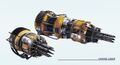 A Mining Laser
 -
 Mining Asp
 -
 Mining duo
 -
 Sidewinder mining
 -
 Type 9 Heavy mining
 -
 Diamondback Mining
 -
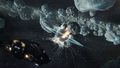 Python mining asteroid explosion
 -
 Asteroid Probe
 -
 Shape of mother load asteroid in metallic rings
 -
 ED Deep Core Mining Guide


References
- ↑ 1.0 1.1 1.2 1.3 1.4 1.5 1.6 1.7 Frontier Forums: Content Recap: Beyond - Chapter Four Livestream - Mining and Squadrons
- ↑ 2.0 2.1 Rhino - Store - Elite Dangerous
- ↑ We finally caught depleted Rhino mining deposits replenishing - erichards2222 - Reddit - 19 Sep 2026
- ↑ 4.0 4.1 4.2 4.3 Rhino Surface Hotspot list - Connor11223 - Frontier Forums - 4 Sep 2026
- ↑ 5.0 5.1 reddit: Thanks Frontier for actually making coop mining a thing now
- ↑ Elite Dangerous - 4.4.1.0 Update Notes - 2 Sep 2026
| Colonisation | |
| Combat |
|
| Covert |
|
| Exploration |
|
| Mining |
|
| Multiplayer |
|
| Trading |
|
| Transportation |
|
| Careers marked with O are only available if Odyssey is installed. | |